







TL;DR: Website performance metrics measure how quickly a page loads, how promptly it responds to user interactions, and how stable its layout remains. Start with Google’s Core Web Vitals: LCP, INP, and CLS. Use supporting metrics such as TTFB, FCP, and TBT to investigate technical issues, then review analytics data to understand how performance relates to engagement and conversions.
A website can look good and contain useful information yet still frustrate visitors if its pages load slowly, respond late to clicks, or shift unexpectedly while loading. Website performance metrics help you identify these problems and understand how your site behaves for real users.
The most useful approach is to measure loading performance, responsiveness, visual stability, and relevant business outcomes instead of relying on a single speed score. This guide explains the key website performance metrics, their recommended benchmarks, how to measure them, and what you can do to improve them.
Which Website Performance Metrics Matter Most?
The most important website performance metrics are Largest Contentful Paint (LCP), Interaction to Next Paint (INP), and Cumulative Layout Shift (CLS), which make up Google’s Core Web Vitals. They measure loading performance, responsiveness, and visual stability. Supporting metrics such as Time to First Byte (TTFB), First Contentful Paint (FCP), and Total Blocking Time (TBT) help diagnose technical issues. Analytics metrics such as conversion rate and bounce rate help you investigate visitor behavior and business outcomes.
Here is how to prioritize them:
- For user experience: LCP, INP, and CLS.
- For technical diagnosis: TTFB, FCP, TBT, and resource-loading data.
- For mobile performance: Compare mobile results with desktop results and review real-user data where available.
- For business outcomes: Track conversion rate, form completion, and relevant engagement metrics alongside performance data.
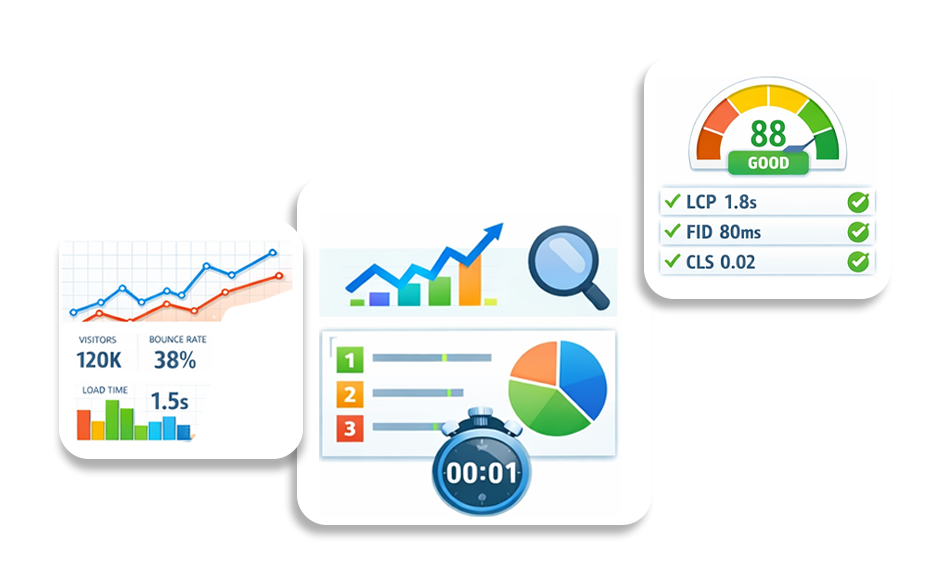
Google’s recommended Core Web Vitals thresholds are an LCP of 2.5 seconds or less, an INP of 200 milliseconds or less, and a CLS score of 0.1 or less. Evaluate these metrics at the 75th percentile of real-user page views, with mobile and desktop assessed separately.
Use Google PageSpeed Insights to review lab diagnostics and available field data. For a broader view of Core Web Vitals issues across your website, use Google Search Console. You can also read our guide to understanding Google PageSpeed Insights for help interpreting test results. A single test or performance score cannot explain every problem, so use the results to decide what to investigate next.
Understanding Website Performance Metrics
Website performance metrics are measurements that help you understand how quickly a page loads, how smoothly it responds to interactions, and how reliably it works for visitors. They cover several areas, including browser rendering, server response time, resource loading, visual stability, and user engagement.
Core Web Vitals are Google’s primary set of user-focused website performance metrics. They include Largest Contentful Paint (LCP), Interaction to Next Paint (INP), and Cumulative Layout Shift (CLS). Other measures, such as TTFB, FCP, and TBT, help you investigate the technical causes of performance problems.
Not every performance measure serves the same purpose. Core Web Vitals assess important aspects of user experience, diagnostic metrics help identify potential causes, and engagement metrics describe how visitors interact with your website. Looking at these categories together gives you a more complete understanding than relying on one score.
Why Do Website Performance Metrics Matter?
Website performance metrics help you identify technical problems, evaluate user experience, and understand how your website performs against your business goals. They are useful for prioritizing fixes, measuring the results of changes, and deciding where further investigation is needed.
How Do Website Performance Metrics Affect SEO?
Core Web Vitals are part of Google’s page experience considerations, but good scores do not guarantee higher search rankings. Google also considers content relevance, quality, and other ranking signals. Performance testing helps you identify issues that may make pages harder or less pleasant to use, while technical SEO checks help you investigate crawling and indexing problems.
How Do Performance Metrics Affect User Experience?
Performance metrics reveal delays that visitors may notice when opening a page, clicking a button, or interacting with a menu. LCP helps evaluate how quickly the main content appears, INP measures responsiveness to user interactions, and CLS measures unexpected layout movement.
These measurements help you identify friction in the user experience. However, the effect of a performance problem can vary depending on the page, device, visitor, and task.
How Do Performance Metrics Affect Business Outcomes?
Website performance can influence how easily visitors browse products, complete forms, or finish purchases. Tracking conversion rate, checkout completion, and other relevant business measures alongside performance data helps you investigate whether technical problems are associated with lost opportunities.
Performance is only one factor in business results. Pricing, product relevance, content, usability, traffic quality, and other factors can also affect conversions. Compare performance and business data over time before attributing a change in revenue to website speed alone.
Website Performance Benchmarks: Recommended Targets
Website performance benchmarks help you evaluate loading speed, responsiveness, and visual stability. Start with Google’s Core Web Vitals thresholds, then use supporting metrics to investigate issues and set targets appropriate for your website.
Core Web Vitals Benchmarks
| Metric | Recommended threshold | What it measures |
|---|---|---|
| Largest Contentful Paint (LCP) | 2.5 seconds or less | How quickly the main content appears |
| Interaction to Next Paint (INP) | 200 milliseconds or less | How promptly the page responds to user interactions |
| Cumulative Layout Shift (CLS) | 0.1 or less | How stable the page layout remains |
Google recommends evaluating these metrics at the 75th percentile of real-user page views, separately for mobile and desktop. A page meets the recommended Core Web Vitals thresholds when all three metrics meet their respective targets.
Supporting Website Performance Metrics
The following metrics help diagnose performance issues, but they are not additional Core Web Vitals thresholds.
| Metric | How to interpret it |
|---|---|
| Time to First Byte (TTFB) | Helps assess server response time. A value around 800 milliseconds or less is a useful general diagnostic target, not a universal ranking threshold. |
| First Contentful Paint (FCP) | Shows when the browser first renders content. A value of 1.8 seconds or less is commonly used as a good target in web performance guidance. |
| Total Blocking Time (TBT) | Helps identify main-thread blocking during lab tests. Interpret it alongside other diagnostics rather than treating it as a field Core Web Vital. |
| Speed Index | Estimates how quickly visible page content is rendered during a lab test. Compare results under consistent testing conditions. |
| Total page size | Shows how much data a page transfers. The appropriate target depends on the page’s content, audience, and network conditions. |
| HTTP request count | Helps identify the number of resources a page needs to load. Fewer requests are not always better if combining resources creates other performance problems. |
| DNS lookup time | Helps investigate the time needed to resolve a domain. The impact depends on connection reuse, caching, and the resources being loaded. |
| Cache hit ratio | Shows how often requests are served from cache rather than requiring another retrieval or generation step. Interpret it within the relevant caching system. |
| Error rate | Helps track failed requests or application errors. Define which errors and requests are included before comparing results. |
Sources and methodology: Core Web Vitals thresholds in this article are based on Google’s published web performance guidance. Supporting performance targets are general diagnostic recommendations, not universal Google ranking thresholds. Results can vary by device, network, page content, and testing conditions. Use controlled tests to investigate potential causes and real-user data, when available, to evaluate visitor experience.
Website Performance Metrics Explained: What to Measure and Why
Website performance metrics serve different purposes. Some measure how quickly a page loads, some help diagnose technical delays, and others show how visitors behave. Understanding these differences helps you select the right measurements and avoid treating every score as a direct measure of website speed or SEO performance.
The following sections explain the key technical metrics, what they tell you, and how to investigate common problems.
1. Core Web Vitals
Core Web Vitals are Google’s user-focused metrics for evaluating loading performance, responsiveness, and visual stability. They include Largest Contentful Paint (LCP), Interaction to Next Paint (INP), and Cumulative Layout Shift (CLS). These metrics are designed to reflect real-user experience. Lab tools can help diagnose potential problems, while field data is used to assess whether a page meets Google’s recommended thresholds.
Why It Matters
Core Web Vitals help evaluate three important aspects of real-user experience: loading performance, responsiveness, and visual stability. Poor results identify areas that may need improvement, but meeting the recommended thresholds does not guarantee higher search rankings.
How to Improve Core Web Vitals
Start by identifying which Core Web Vital is underperforming, then investigate the cause before making changes.
- Improve LCP: Check server response time, the main content element, image loading priority, and render-blocking resources. Avoid lazy-loading the main above-the-fold image when it is the LCP element.
- Improve INP: Investigate long JavaScript tasks, expensive event handlers, and work that blocks the browser’s main thread during user interactions.
- Improve CLS: Set dimensions for images and video embeds, reserve space for ads where possible, and avoid inserting content above existing content without making room for it.
After making changes, retest the affected pages and monitor real-user data over time. Lab tests help identify potential causes, while field data shows how visitors actually experience your website.
2. Page Load Metrics
Page load metrics describe different stages of a page’s loading process. First Contentful Paint (FCP) measures when the browser first renders content, Largest Contentful Paint (LCP) measures when the largest visible content element is rendered, and fully loaded time describes when the resources included in a particular test have finished loading. These measurements answer different questions, so they should not be treated as interchangeable.
Why It Matters
Users form impressions within seconds. If your page appears blank or partially rendered for too long, users may abandon it before engaging with your content or offers.
How to Improve Page Load Metrics
To improve page load metrics:
- Prioritize optimizing the critical rendering path.
- Minify and compress CSS and JavaScript files to reduce transfer size. Defer non-essential scripts so they do not block rendering.
- Implement lazy loading for images and videos that are below the fold.
- Enable modern protocols like HTTP/2 or HTTP/3 to improve resource delivery efficiency.
3. Website Speed (Overall Load Time)
Website speed is a broad term for how quickly a website loads and responds to visitors. It is influenced by server response time, network conditions, resource sizes, browser rendering, and JavaScript execution. There is no single universal metric that captures every aspect of website speed, so use several measurements to understand the experience.
Real-world results can add context to website performance metrics. For example, Rick Mantheiy shared on Trustpilot that, after using Website Speedy, his large-catalog website had reported loading times of 1.57 seconds on desktop and 2.42 seconds on mobile. These customer-reported results illustrate why it is useful to evaluate performance across devices rather than relying on a single desktop test.
Why It Matters
Even small delays in website speed can reduce user trust, increase abandonment, and lower conversions. Faster websites also enable more efficient search engine crawling and indexing.
How to Improve Website Speed
Start by upgrading to reliable, high-performance hosting that provides low latency and consistent uptime. Implement browser caching to reduce repeat load times for returning users. Use a content delivery network (CDN) to serve static assets from edge locations closer to users. Regularly audit and remove unnecessary plugins, scripts, or large media files that add weight to your pages.
4. Performance Score
The performance score is a lab-based evaluation generated by tools such as Lighthouse and PageSpeed Insights. It aggregates multiple performance indicators, including LCP, TBT, and CLS, into a single score between 0 and 100 to provide a simplified health overview of your site’s speed performance.
Why It Matters
A Lighthouse performance score summarizes selected lab-test results into a score from 0 to 100. It helps you compare controlled tests and investigate performance opportunities, but it is not itself a direct Google ranking factor and does not replace real-user Core Web Vitals data.
How to Improve Performance Score
To improve your performance score:
- Carefully analyze the diagnostic suggestions provided by Lighthouse. Eliminate render-blocking resources by deferring non-critical CSS and JavaScript.
- Remove unused code and reduce heavy third-party scripts.
- Optimize web fonts by using font-display strategies and limiting unnecessary font weights or families.
5. Mobile Load Time
Mobile load time measures how quickly your website loads and becomes interactive on mobile devices using real-world network conditions. Because mobile devices often have slower processors and variable network speeds, performance on mobile devices can differ significantly from that on desktops.
Why It Matters
Mobile performance can differ from desktop performance because devices, processors, network conditions, and resource-loading behavior vary. Test mobile and desktop separately, and use real-user data where available to understand how visitors experience the page.
How to Improve Mobile Load Time
To improve mobile load time, focus on reducing unnecessary downloads and making important content load efficiently on smaller devices:
- Design with a mobile-first mindset.
- Compress and resize images specifically for smaller screens rather than relying on desktop versions.
- Avoid autoplay videos and heavy animations that strain mobile CPUs. Minimize the DOM size and reduce unnecessary JavaScript execution to ensure smoother mobile performance.
6. Number of HTTP Requests
This metric counts how many separate network requests are required to load a webpage, including images, scripts, fonts, and stylesheets. Each request introduces additional latency and processing overhead.
Why It Matters
A high number of HTTP requests increases load times and network congestion, particularly on slower connections.
How to Improve It
- Remove unnecessary resources and reduce avoidable network requests. Combine files only when testing shows that doing so benefits your site
- Remove unused assets and plugins that generate unnecessary requests.
- Limit third-party integrations.
7. TBT (Total Blocking Time)
Total Blocking Time (TBT) measures how much a page’s main thread is blocked by long tasks during a lab test, over the period between First Contentful Paint and Time to Interactive in the relevant testing setup. High TBT can help identify JavaScript work that delays interactions. TBT is a lab diagnostic, whereas INP measures responsiveness based on real user interactions.
Why It Matters
High Total Blocking Time can indicate that JavaScript tasks are keeping the browser’s main thread busy, delaying the point at which users can interact smoothly with a page. TBT is a lab diagnostic that can help identify potential responsiveness problems. It is not a substitute for INP, which measures responsiveness based on real user interactions.
How to Improve TBT
Reduce the size of JavaScript bundles by implementing code splitting and tree shaking. Defer non-essential scripts, so they load after the main content. Remove outdated plugins and evaluate third-party tools that may be executing heavy scripts unnecessarily.
8. TTFB (Time to First Byte)
Time to First Byte measures the duration between a browser requesting a page and receiving the first byte of data from the server. It reflects backend efficiency, hosting quality, and server configuration.
Why It Matters
A high TTFB can delay the start of page rendering and contribute to a slower Largest Contentful Paint (LCP). It can help identify server or network delays, but it does not explain every cause of slow loading. Review it alongside resource-loading data and other performance metrics.
9. DNS Lookups
DNS lookup time measures how long it takes for a browser to resolve a domain name into an IP address before establishing a connection to the server.
Why It Matters
Multiple third-party services increase DNS lookups, adding latency before content even begins loading.
How to Improve It
- Review external domains required to load the page and remove unnecessary third-party dependencies.
- Use DNS prefetching where it benefits connections to important external domains.
- Check whether connection reuse and caching reduce repeated setup work.
- Test changes under comparable conditions to confirm whether they improve loading performance.
10. Total Page Size
Total page size refers to the combined weight of all files needed to load a webpage, including HTML, CSS, JavaScript, images, fonts, and media assets.
Why It Matters
Heavier pages require more bandwidth and time to load, particularly on mobile networks or slower connections.
How to Improve It
- Resize and compress images where their dimensions or file sizes are larger than needed.
- Remove unused JavaScript and CSS when it is safe to do so.
- Enable suitable text compression, such as Brotli or gzip, where supported.
- Review large fonts, videos, and other resources that contribute to transfer size.
- Measure the page again to confirm whether the changes reduce transfer size and improve loading performance.
11. Cache Hit Ratio
Cache hit ratio measures how often requested content is served from cache rather than being regenerated or fetched from the origin server.
Why It Matters
Higher cache efficiency reduces server strain and significantly improves loading speed for repeat visitors.
How to Improve It
- Configure browser caching with appropriate cache-control headers.
- Use CDN edge caching for static assets.
- Implement object caching for database-heavy applications.
12. Error Rate
Error rate measures how frequently server errors, broken scripts, or failed requests occur during user sessions.
Why It Matters
Frequent errors damage trust, harm SEO crawlability, and disrupt user experience.
How to Improve It
- Monitor server logs and uptime consistently.
- Fix broken links and test third-party integrations regularly.
- Implement automated monitoring alerts to detect failures early.
Website Engagement Metrics to Track Alongside Performance
Engagement metrics show how visitors interact with your website. They can help you investigate user behavior alongside technical performance data, but they do not directly measure loading speed and cannot establish the cause of a change in engagement on their own.
Conversion Rate
Conversion rate measures the percentage of visitors or sessions that complete a defined action, such as making a purchase, submitting a form, or signing up for a service. The exact calculation depends on whether you measure visitors, sessions, or another defined population.
Why It Matters
Conversion rate helps you understand whether visitors are completing the actions that matter to your business. Comparing conversion data with performance measurements can help you investigate whether slow loading or delayed interactions may be contributing to friction, but performance is not the only factor that affects conversions.
How to Measure and Improve It
- Define the conversion event and the population used in the calculation.
- Compare conversion rates across relevant devices, landing pages, and periods.
- Review performance data to identify delays affecting important user journeys.
- Test changes and account for other factors that may influence conversion behavior.
Bounce Rate
Bounce rate is an analytics measure whose definition depends on the analytics platform. In Google Analytics 4, bounce rate is the percentage of sessions that were not engaged. It should not be defined simply as visitors leaving after viewing one page.
Why It Matters
Bounce rate can help you understand how often sessions fail to meet your analytics platform’s criteria for engagement. Review it alongside landing-page relevance, traffic source, device type, and performance data before deciding what needs to change.
How to Investigate It
- Check whether the page meets the visitor’s search intent.
- Review loading performance and responsiveness on relevant devices.
- Check analytics events and engagement measurement settings.
- Compare results across similar pages and traffic sources.
Average Session Duration
Average session duration describes the time users spend in sessions, according to the analytics platform’s measurement method.
Why It Matters
Session duration can provide context about visitor behavior, but longer sessions do not automatically mean a better experience. A visitor might spend more time because a page is useful or because completing a task takes too long.
How to Investigate It
- Compare duration across similar landing pages and visitor segments.
- Review the actions users take during a session.
- Check whether navigation and important interactions work as expected.
- Interpret duration alongside conversions and other relevant events.
Pages per Session
Pages per session measures the number of pages viewed during a session, based on the analytics platform’s reporting method.
Why It Matters
This metric can help you understand browsing behavior, but a higher number is not always better. Visitors may need fewer pages to complete a task when navigation and content are clear.
How to Investigate It
- Review whether important pages are easy to find.
- Check internal links and navigation paths.
- Evaluate whether users can complete important tasks without unnecessary steps.
- Compare browsing patterns with conversions and other meaningful outcomes.
Scroll Depth
Scroll depth measures how far visitors scroll down a page. It may be tracked using built-in analytics events or custom event tracking.
Why It Matters
Scroll depth can help you understand whether visitors reach important sections of a page. It does not explain why someone stops scrolling, so interpret it alongside content relevance, page structure, and user behavior.
How to Investigate It
- Make key information easy to find.
- Use descriptive headings and clear content structure.
- Review whether important content is placed where readers expect it.
- Compare scroll depth with relevant clicks, engagement events, and conversions.
Lab Data vs. Real-User Data: What’s the Difference?
Lab data measures website performance in a controlled test environment, while real-user data records performance experienced by visitors using actual devices, browsers, and network conditions. Both are useful, but they answer different questions.
| Comparison | Lab data | Real-user data |
|---|---|---|
| Testing environment | Controlled conditions | Actual visitor conditions |
| Main purpose | Diagnose performance problems | Understand real-world experience |
| Common sources | Lighthouse, PageSpeed Insights lab results, WebPageTest | PageSpeed Insights field data, Chrome UX Report, suitable RUM tools |
| Main limitation | May not represent every visitor’s experience | Depends on available data, traffic, and measurement coverage |
Why Can Lab and Field Results Differ?
A page may perform well in a desktop Lighthouse test but poorly for mobile visitors because of differences in device capabilities, network conditions, or resource loading. Lab tests help identify possible causes, but they do not replace real-user measurements.
How Should You Use Both?
- Check field data to understand how visitors experience the page, when sufficient data is available.
- Run a lab test to investigate possible causes of poor performance.
- Apply targeted changes and repeat the test under comparable conditions.
- Monitor field data over time to see whether real-user experience improves.
Use the same URL, device category, and comparable testing conditions when investigating changes. Field metrics can also vary with traffic patterns and the reporting window, so avoid drawing conclusions from a single test.
How to Measure Website Performance Accurately: Best Tools
To measure website performance accurately, combine controlled lab tests with real-user data where available. Lab tools help diagnose technical problems, while field data shows how visitors experience your website across different devices and network conditions.
1. Website Speedy
Website Speedy helps businesses apply supported website speed optimizations without manually changing every technical setting. It can complement testing tools by helping users implement performance improvements. Use PageSpeed Insights, Search Console, and appropriate monitoring tools to assess the results rather than assuming that one optimization tool will resolve every performance issue.
2. Google PageSpeed Insights
Google PageSpeed Insights provides Lighthouse lab results and field data from the Chrome User Experience Report when sufficient data is available. Use it to review Core Web Vitals, identify potential performance problems, and investigate recommended improvements.
3. Google Search Console
Google Search Console includes a Core Web Vitals report that groups URLs according to their performance status. Use it to identify page groups that may need attention and prioritize further investigation. The report is not a substitute for detailed testing of an individual page.
4. Lighthouse and Chrome DevTools
Lighthouse provides controlled audits of performance and other aspects of page quality. Chrome DevTools helps you inspect network requests, JavaScript execution, rendering behavior, and other potential causes of slow performance.
5. WebPageTest
WebPageTest offers detailed loading diagnostics, including resource waterfalls and visual loading timelines. It is useful when you need to investigate how individual resources contribute to loading delays under specific test conditions.
6. Real User Monitoring (RUM)
Real User Monitoring collects performance measurements from actual visitors. Depending on the implementation, it can help you compare performance across devices, browsers, page types, and user journeys. The amount of available data depends on traffic and measurement coverage.
How to Choose the Right Website Performance Tool
Choose a tool based on the question you need to answer. Use PageSpeed Insights to review lab results and available field data, Search Console to find groups of URLs with Core Web Vitals issues, Lighthouse or WebPageTest to investigate technical causes, and RUM to monitor actual visitor experiences when suitable data is available.
After applying an optimization, test the affected pages again under comparable conditions. Monitor field data over time to understand whether the changes improve real-user performance.
Conclusion
Website performance metrics help you understand how quickly your pages load, how promptly they respond to user interactions, and how stable they remain during use. Start with Core Web Vitals (LCP, INP, and CLS), then use supporting metrics such as TTFB, FCP, and TBT to investigate technical problems. Track engagement and conversion data separately to understand how visitors behave.
The most useful approach is to identify the problem, choose the right measurement, apply a targeted fix, and test the results. Combine lab diagnostics with real-user data where available, and review performance over time rather than relying on one score. Website Speedy can help with supported speed optimizations, while independent testing and monitoring help you evaluate the results.
Frequently Asked Questions
What Are the Most Important Website Performance Metrics?
The three most important metrics for evaluating Core Web Vitals are Largest Contentful Paint (LCP), Interaction to Next Paint (INP), and Cumulative Layout Shift (CLS). Supporting metrics such as TTFB, FCP, and TBT help diagnose loading and responsiveness problems, while analytics metrics help measure visitor behavior and business outcomes.
What Are the Recommended Core Web Vitals Thresholds?
Google recommends an LCP of 2.5 seconds or less, an INP of 200 milliseconds or less, and a CLS score of 0.1 or less. These thresholds are evaluated at the 75th percentile of real-user page views, separately for mobile and desktop.
What Is the Difference Between Website Performance Metrics and Engagement Metrics?
Website performance metrics measure aspects such as loading speed, responsiveness, and visual stability. Engagement metrics, including session duration, pages per session, and scroll depth, describe how visitors interact with a website. Performance data can help you investigate user experience problems, but engagement metrics alone do not establish their cause.
Which Tools Are Best for Measuring Website Performance?
Google PageSpeed Insights provides lab diagnostics and available field data, Google Search Console reports Core Web Vitals issues across groups of pages, Lighthouse provides controlled audits, and WebPageTest offers detailed loading diagnostics. Real User Monitoring tools can provide additional measurements from actual visitors.
Can Good Website Performance Scores Improve Google Rankings?
Good Core Web Vitals contribute to the page experience considerations used by Google's ranking systems, but passing performance thresholds does not guarantee higher rankings. Content relevance, quality, and other ranking signals also matter. Evaluate performance improvements for their effect on user experience as well as search visibility.
Why Do Lab Tests and Real-User Performance Results Differ?
Lab tests run under controlled conditions, while real-user data reflects visitors using different devices, browsers, and network connections. A page may perform well in a lab test but have weaker field results. Use lab tests to investigate potential causes and field data to understand how visitors experience the page.
About the Author