






TL;DR: If Meta Ads landing page views dropped suddenly while link clicks remain stable, slow browser loading could be one possible reason. Test the landing page inside Facebook and Instagram, compare mobile and desktop performance, inspect redirects and JavaScript, and verify Meta Pixel events before changing your campaigns.
Your Meta ads are still getting clicks, but landing page views have suddenly fallen. This can be frustrating because people are interacting with your ads, but fewer visits are being recorded after they click.
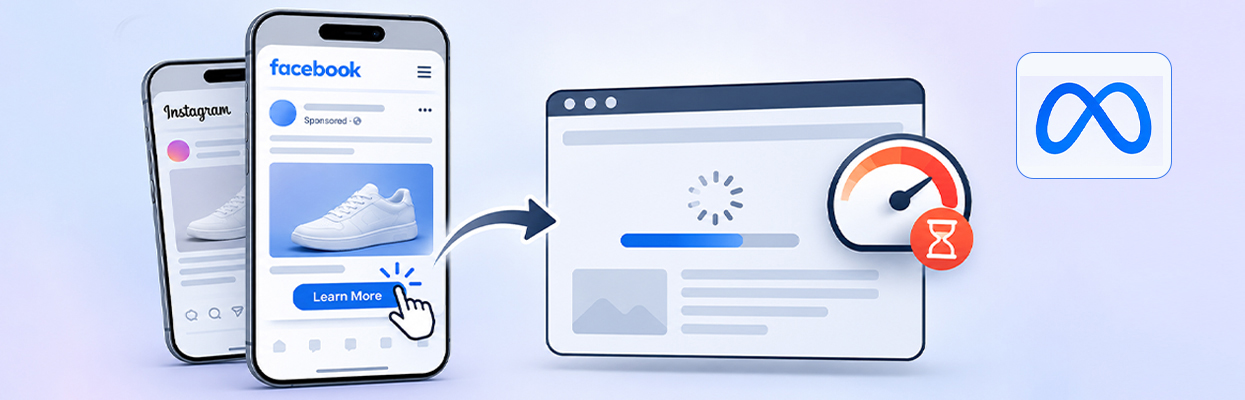
One possible reason is browser loading performance. When someone clicks a Facebook or Instagram ad, the destination often opens inside the platform’s in-app browser. If the landing page takes too long to load, important content appears late, or JavaScript and redirects interfere with the loading process, visitors may leave before the page finishes loading.
However, slow loading is not the only possible explanation. Meta Pixel issues, consent settings, broken destination URLs, and reporting differences can also contribute to the decline.
To identify the actual cause, compare Meta outbound clicks with website sessions, test the exact ad destination inside Facebook and Instagram, and investigate how quickly the landing page loads on mobile devices.
Could the Meta In-App Browser Be Causing Fewer Landing Page Views?
Yes, Facebook or Instagram’s in-app browser could contribute to fewer recorded landing page views if the destination page loads slowly, fails to open, or encounters browser-related errors. The problem may also come from tracking changes, redirects, or actual website traffic declines.
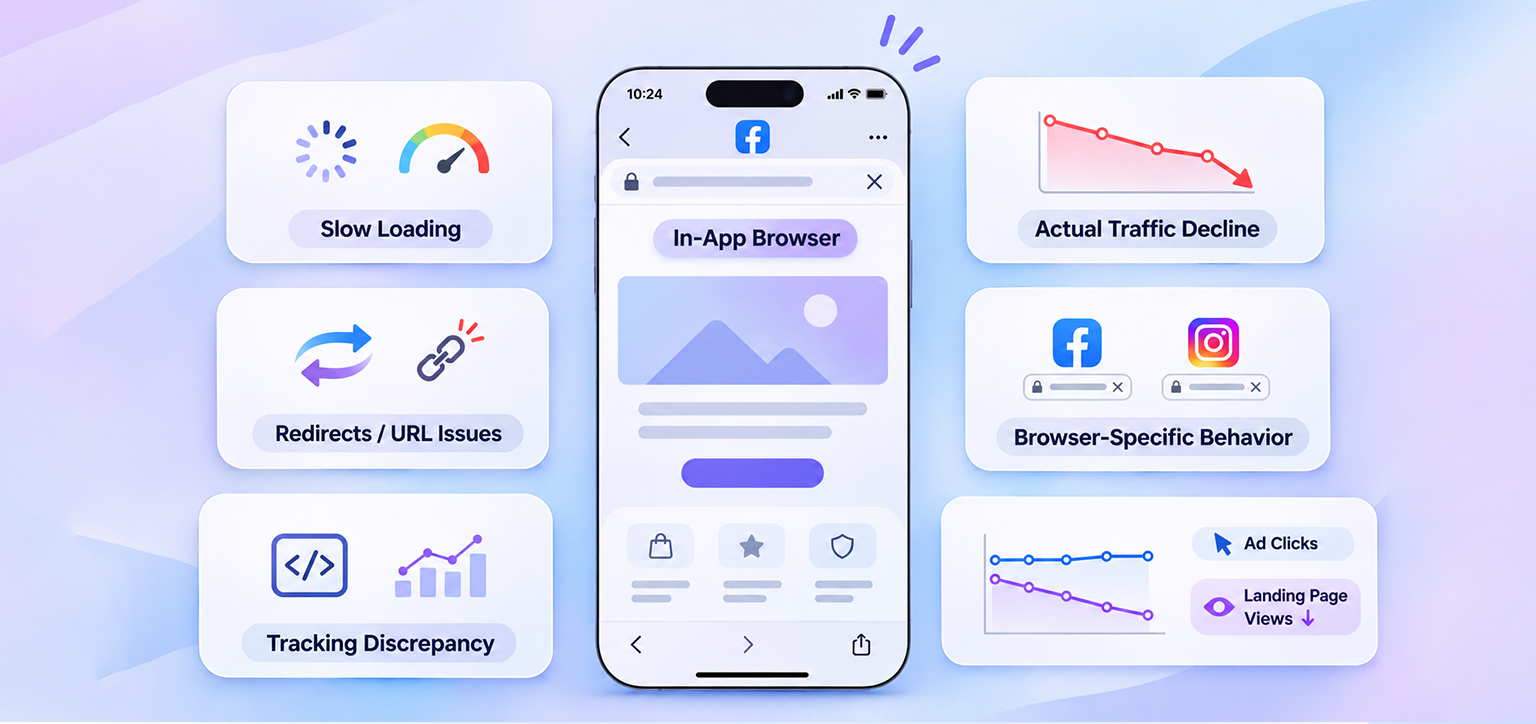
Here are the main possibilities to investigate:
- In-app browser loading issues: The landing page may behave differently inside Facebook or Instagram than it does in Chrome or Safari.
- Slow browser loading: Render-blocking CSS, JavaScript execution delays, and poorly prioritized resources can delay the appearance of important landing page content.
- Redirect or URL errors: Incorrect destination URLs, broken redirects, or tracking parameters may prevent visitors from reaching the intended page.
- Tracking discrepancies: Meta Pixel implementation, consent settings, and measurement differences can affect reported landing page views.
- Actual traffic decline: Fewer ad clicks, changes in campaign delivery, or website availability problems may reduce genuine visits.
- What to check first: Compare Meta link clicks with website sessions, test the exact ad URL inside Facebook and Instagram, and evaluate mobile loading performance.
Why the Facebook or Instagram In-App Browser Matters
When someone taps a Meta ad, the destination often opens inside a browser built into Facebook or Instagram rather than directly in Chrome or Safari. This is called an in-app browser.
The browser can handle ordinary websites perfectly well, but problems can arise when a page relies on complex redirects, browser-specific behavior, consent scripts, or third-party integrations. A problem that appears only inside Instagram or Facebook deserves closer testing.
Common symptoms of Meta Ads in-app browser issues include:
- The page stays blank or displays a loading spinner.
- The page opens, but important content never appears.
- A redirect sends visitors to the wrong URL.
- Buttons, forms, or checkout elements stop responding.
- The page works in Safari or Chrome but fails inside Facebook or Instagram.
Website loading performance is particularly important when testing these symptoms. A landing page may open correctly but still take too long to display its main content.
For example, render-blocking CSS can delay page rendering, while heavy JavaScript and third-party scripts can increase the time required before important elements appear or become interactive. These delays can affect the visitor experience even when the destination URL is technically working.
These symptoms are clues, not proof that the in-app browser itself is responsible. Server errors, JavaScript failures, and website configuration problems can produce similar behavior.
How to Test Your Landing Page Inside the Meta In-App Browser
Follow these steps to check whether your landing page loads correctly inside Facebook or Instagram and identify any issues that could explain the drop in landing page views.
- Open the Facebook or Instagram app on a mobile device.
- Find the original ad using its preview or a controlled test campaign.
- Tap the ad and allow the destination to open inside the app.
- Check whether the correct URL loads, the main content appears, and the page becomes interactive.
- Repeat the test on another device or connection, then open the same URL in Chrome or Safari.
- Compare the results. If the problem occurs only in the in-app browser, investigate browser-specific behavior, redirects, and scripts.
If the Facebook in-app browser is not loading your website, test the exact campaign URL, including its query parameters and tracking tags. A clean URL may work while the actual ad URL fails because of a redirect or tracking configuration.
How to Tell Whether the Problem Is Tracking or Actual Traffic
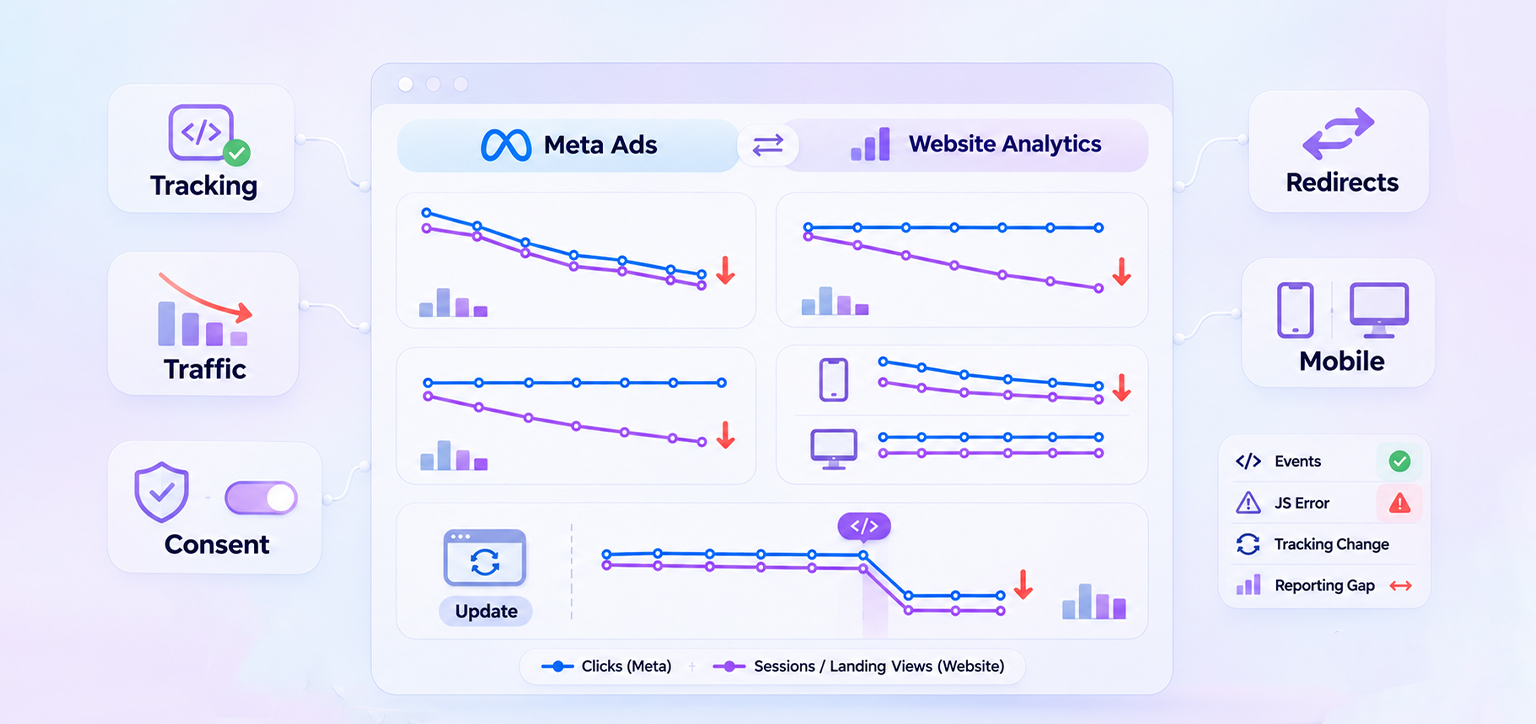
A decline in Meta’s reported landing page views can indicate fewer successful page visits, a measurement issue, or a combination of both. Meta landing page views and website analytics sessions use different measurement methods, so their numbers may not match exactly. Also, don’t assume that every landing page view depends on a standard Meta Pixel PageView event.
Check the events your implementation actually sends and review whether consent restrictions, JavaScript errors, or recent tracking changes could affect reporting. A missing Pixel event alone does not prove that no landing page visit occurred.
| What you observe | What to investigate |
|---|---|
| Meta link clicks and website sessions both fall | Campaign delivery, ad changes, destination availability |
| Clicks remain stable, but sessions and landing page views fall | Page loading, redirects, browser behavior |
| Website sessions remain stable, but Meta landing page views fall | Meta measurement, event implementation, consent settings |
| Mobile visits fall, but desktop visits remain stable | Mobile loading, in-app browser behavior, mobile-specific errors |
| The drop begins after a website update | Redirects, scripts, page templates, tracking changes |
Can Meta Pixel Issues Affect Landing Page View Reporting?
Yes. Meta Pixel implementation, consent settings, and measurement differences can affect reported landing page views. However, a decline should not automatically be attributed to a Pixel problem.
First, distinguish between link clicks and outbound clicks. Link clicks can include interactions with destinations inside or outside Meta, while outbound clicks measure clicks that take people to destinations outside Meta technologies. Comparing outbound clicks with website sessions and landing page views can help identify where the difference occurs.
Use Meta Events Manager to check whether the expected Pixel events are being received. Also review recent changes to Google Tag Manager, consent settings, redirects, and website scripts.
If website sessions and landing page entries have also declined, investigate page loading performance and destination URLs. If website traffic remains stable but Meta’s reported landing page views fall, investigate event implementation, consent settings, and reporting differences.
How Browser Loading Performance Affects Meta Ads Landing Page Views
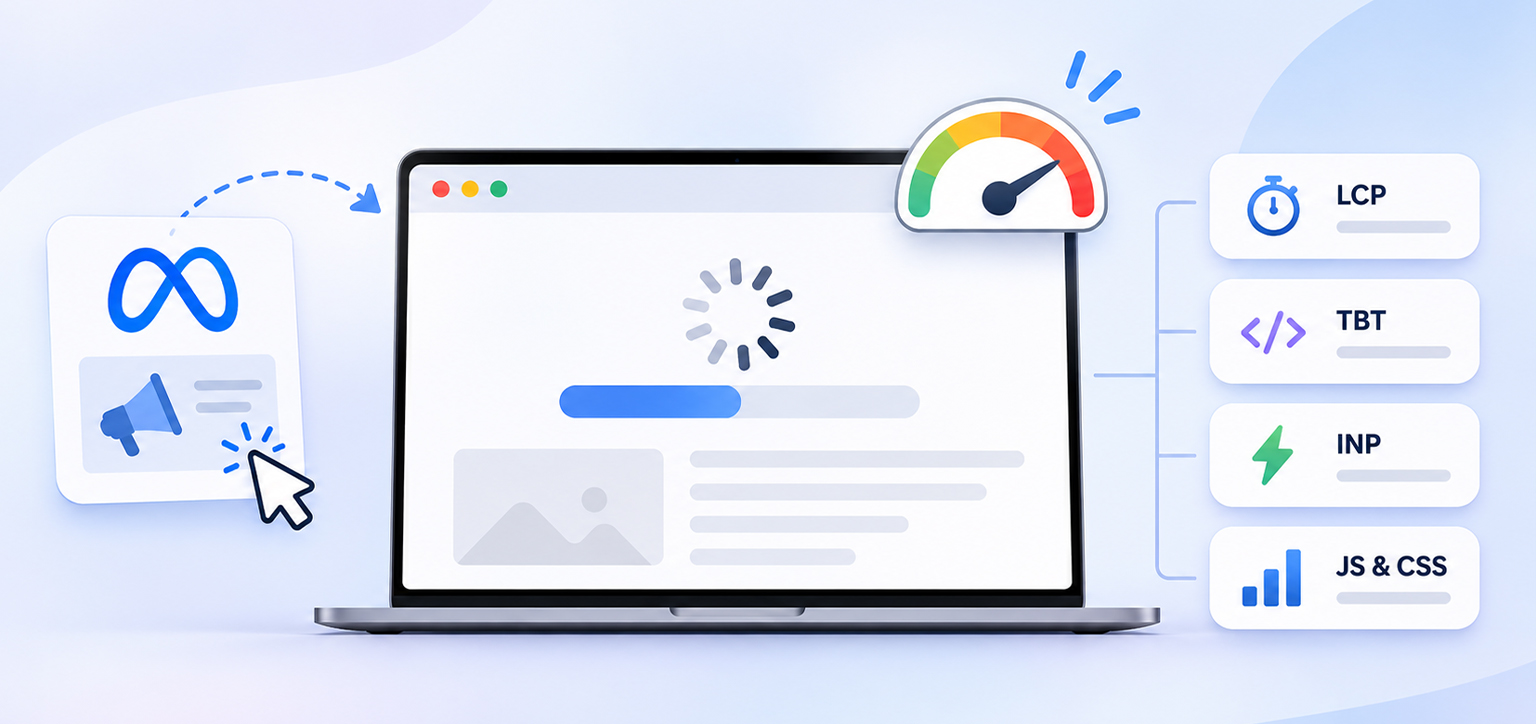
When someone clicks a Meta ad, the landing page needs to load successfully before the visitor can view its content. If the page takes too long to display, some visitors may leave before the loading process finishes. This can contribute to a difference between recorded link clicks and landing page views.
Several website performance issues can affect this experience.
1. Render-Blocking CSS and JavaScript
Some CSS and JavaScript resources need to be processed before the browser can display parts of a webpage. When these resources delay rendering, visitors may see a blank screen or incomplete content for longer than expected.
This can be particularly frustrating for someone arriving from an ad who expects to see the product, offer, or landing page immediately.
2. Heavy JavaScript Execution
Landing pages often use JavaScript for menus, forms, pop-ups, analytics, chat widgets, and other interactive elements. When too much JavaScript needs to be downloaded, parsed, or executed, it can delay page rendering and interaction.
If the main landing page content takes too long to appear or the page becomes difficult to interact with, visitors may leave before completing their visit.
3. Delayed Loading of Important Resources
Browsers prioritize some resources over others when loading a webpage. If important landing page elements are not prioritized properly, visitors may have to wait longer to see the content they clicked the ad to access.
Resource-loading improvements, such as preloading important resources and using appropriate lazy loading for below-the-fold content, can help the browser handle resources more efficiently.
However, avoid lazy-loading the main visible content, particularly the image responsible for Largest Contentful Paint (LCP). Lazy-loading this image can delay its discovery and unnecessarily increase loading time. Instead, prioritize critical above-the-fold resources and use lazy loading for appropriate below-the-fold images and other non-critical content. Preload important resources only when doing so helps the browser discover and load them earlier.
4. Third-Party Scripts and External Requests
Advertising pixels, analytics tools, chat widgets, and other third-party services can add additional requests and JavaScript execution to a landing page.
If these scripts are slow or interfere with the page’s loading process, they can affect how quickly the visitor sees or interacts with the page. Review how third-party scripts affect website performance to understand what to investigate.
How to Check Whether Loading Performance Is Contributing to the Drop
Start by testing the exact landing page URL in Google PageSpeed Insights. Run separate mobile and desktop tests and review both Lighthouse lab results and real-user field data when available.
Pay particular attention to:
- Largest Contentful Paint (LCP): Measures how quickly the largest visible content element renders. A good LCP is 2.5 seconds or less at the 75th percentile.
- Total Blocking Time (TBT): A Lighthouse lab metric that measures how long long-running JavaScript tasks block the main thread during page loading. It helps diagnose responsiveness problems but is not itself a Core Web Vital.
- Interaction to Next Paint (INP): Measures responsiveness to user interactions using real-user field data. A good INP is 200 milliseconds or less at the 75th percentile.
- JavaScript and CSS diagnostics: Help identify resources and execution patterns that may delay rendering or interaction.
Keep in mind that Lighthouse lab results and real-user field data serve different purposes. Lab tests help identify potential technical issues under controlled conditions, while field data reflects actual visitor experiences. If PageSpeed Insights does not have sufficient field data for your landing page, use the available lab diagnostics and test the page on real mobile devices. These measurements can help identify website performance problems, but they do not directly measure Meta Ads landing page views or prove that loading delays caused the reporting decline. They also cannot reproduce every visitor’s experience inside Facebook or Instagram.
If the page performs poorly on mobile, investigate the underlying resources before making changes to your advertising campaigns.
Which Tools Should You Use?
Start with tools that help distinguish a loading failure from a reporting discrepancy.
- Google PageSpeed Insights: Test the exact landing page URL on mobile and desktop. Review loading performance, Core Web Vitals, and diagnostics for render-blocking resources, JavaScript execution, and other performance issues. PageSpeed Insights documentation explains the difference between lab data and real-user field data.
- Meta Events Manager: Check whether the expected Pixel events are received and whether recent tracking changes could explain the decline.
- Website analytics: Compare sessions, landing-page entries, device categories, referral sources, and page-level traffic over the same period.
- Browser developer tools: When you can reproduce the problem, inspect failed network requests, JavaScript errors, redirects, and blocked resources.
Google’s Core Web Vitals guidance provides useful benchmarks for loading performance, responsiveness, and visual stability. These metrics help identify website performance issues, but they do not directly measure Meta Ads landing page views or diagnose in-app browser failures.
How Website Speed Optimization Can Help Improve Landing Page Loading
Once you identify website loading performance as a possible contributing issue, the next step is to address the technical resources delaying your landing page.
Render-blocking CSS and JavaScript, heavy script execution, and inefficient resource loading can affect how quickly visitors see and interact with your landing page. These issues may require technical optimization, particularly when you don’t have a developer to handle every adjustment manually.
Website Speedy helps automate several website performance improvements, including render-blocking resource optimization, JavaScript handling, CSS and JavaScript minification, and resource-loading improvements such as lazy loading and preloading. These optimizations can help landing pages load more efficiently without requiring manual coding for routine technical fixes.
However, website performance optimization and Meta Ads tracking are separate tasks. Website Speedy does not configure Meta Pixel events or fix discrepancies in Meta Ads reporting. After making performance improvements, test the landing page again inside Facebook and Instagram and verify your tracking separately.
The goal is to make sure visitors can reach and view the landing page efficiently after clicking your ad, while confirming through analytics whether the original problem has actually improved.
Conclusion
When Meta Ads landing page views drop suddenly, browser loading performance is one possible cause, particularly when link clicks remain stable but fewer visits are recorded.
Start by comparing Meta link clicks with website analytics, then test the exact destination URL inside Facebook and Instagram. If the problem is concentrated on mobile, investigate render-blocking resources, JavaScript execution, redirects, and other loading issues.
Also verify Meta Pixel events and consent settings to rule out tracking discrepancies. If website performance is contributing to the problem, technical optimization can help improve how efficiently the landing page loads.
The important thing is to identify whether visitors are failing to reach the page, leaving before it loads, or simply not being recorded correctly. Each situation requires a different solution.
Frequently Asked Questions
Why did my Meta ad landing page views suddenly drop?
Can the Facebook or Instagram in-app browser prevent a landing page from loading?
Why are my Meta ads getting clicks but no landing page views?
How do I know whether Meta Pixel tracking is broken?
How can I fix a Meta ads landing page that loads slowly on mobile?
Should I change my ads when landing page views suddenly fall?
About the Author