






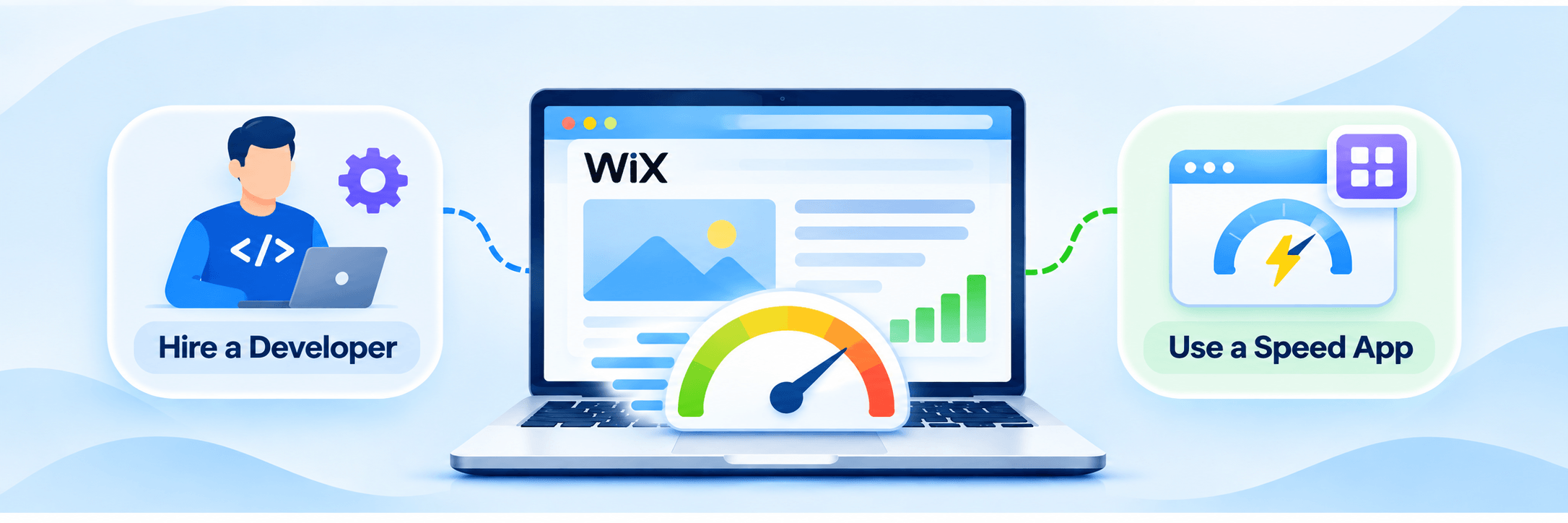
TL;DR: Use a Wix speed optimization app for routine technical improvements that don’t require coding. Hire a developer for complex code issues, custom functionality, or integration problems. If needed, combine both. First, test your website to identify what’s slowing it down.
If your Wix website needs routine speed improvements, start with a compatible speed optimization app. It can automate certain technical fixes without requiring coding knowledge. However, if your website has complex code issues, custom functionality problems, or third-party integration conflicts, hiring a Wix website developer is the better choice.
Both options serve different purposes. An app is suitable for supported automated optimizations, while a developer can investigate specific technical problems and implement custom fixes. Your choice should depend on what is slowing down your website, the complexity of the issue, and your budget.
Wix App vs. Developer: Which Is Right for Your Wix Website?
A Wix speed optimization app is suitable for automating routine technical improvements without coding, while a developer is better for complex performance issues that require custom fixes. The right choice depends on your website’s needs, technical issues, and budget.
| Comparison | Developer | Speed optimization app |
|---|---|---|
| Best for | Complex technical issues | Routine performance improvements |
| Coding knowledge | Developer handles coding | Usually requires little or no coding |
| Custom fixes | Yes | Limited to supported optimizations |
| Setup | Depends on project scope | Usually quicker |
| Cost | Project-based or hourly | Usually subscription-based |
| Maintenance | May require ongoing developer support | Depends on app features and compatibility |
Choose an app for supported automated speed improvements. Choose a developer for custom fixes and deeper technical troubleshooting. Neither option guarantees that every Wix performance issue will be resolved.
Why Does Your Wix Website Need Speed Optimization?
Your Wix website may load slowly because of heavy page content, unnecessary third-party apps, animations, embedded videos, or custom scripts.
Even though Wix manages much of its hosting infrastructure, individual website design choices and integrations can affect how quickly pages load.
For example, imagine a Wix business website with a full-screen video banner, several animated sections, a live chat widget, and multiple marketing integrations. Each additional element can introduce loading or processing work.
Common causes include:
- Large or complex above-the-fold sections.
- Too many third-party applications and widgets.
- Unnecessary JavaScript and custom code.
- Excessive animations and visual effects.
- Embedded videos and external content.
- Poorly structured mobile layouts.
Start by testing your homepage and important landing pages using Google PageSpeed Insights. Check both mobile and desktop results. You can also use the Wix Site Speed dashboard, which provides real-visitor performance information and PageSpeed simulation results.
What Can a Wix Website Developer Do to Improve Speed?
A Wix website developer can investigate performance problems that require custom technical changes, code adjustments, or detailed troubleshooting.
This is particularly useful when your website has custom functionality, complicated integrations, or performance problems that remain after basic optimization.
For example, suppose your Wix website has a custom booking feature that takes several seconds to respond. A developer can investigate how the feature works, inspect the relevant code, and identify whether inefficient execution or an external integration is causing the delay.
A developer may help with:
- Reviewing custom JavaScript and Velo code.
- Investigating third-party scripts and integrations.
- Troubleshooting slow-loading interactive elements.
- Simplifying complicated page structures.
- Identifying unnecessary custom functionality.
- Fixing layout and responsiveness problems.
- Investigating conflicts between website features.
However, hiring a developer doesn’t automatically make your website faster.
Wix controls much of its underlying platform infrastructure. Therefore, developers cannot directly modify every platform-managed resource or apply every server-level optimization available on a self-hosted website.
A good developer should first identify the cause of the problem and explain which changes are possible within Wix.
What Can a Wix Speed Optimization App Do?
A Wix speed optimization app can automate supported technical improvements, reducing the amount of manual work required from the website owner.
Unlike hiring a developer for every performance adjustment, an app generally provides a predefined set of optimization features that can be activated through its dashboard or installation process.
Depending on the tool, these improvements may include:
- Lazy loading to delay non-critical resource loading.
- Prefetching and preloading to prioritize important resources.
- Asynchronous loading of supported JavaScript.
- Optimizing resource loading and rendering behavior.
- Code-level optimization, such as minification.
- Performance monitoring and reporting.
Not every app offers all these features, and compatibility with Wix should always be checked before installation.
For example, Website Speedy is available through the Wix App Market. Its optimization approach includes automated technical improvements such as resource-loading and script-handling optimizations. Features such as lazy loading, preloading, asynchronous script handling, and code optimization can help address supported performance issues without requiring website owners to make every technical change manually.
The tool also provides a dashboard for monitoring performance improvements. However, the results depend on the website’s existing setup and the issues affecting its performance.
An important distinction is that an optimization app cannot necessarily identify and remove a particular problematic third-party app or rewrite complicated custom functionality. Those situations may still require developer involvement.
Can I Improve My Wix Website Speed Without Coding?
Yes. You can improve several aspects of Wix website performance without writing code or hiring a developer. Start with changes available directly in your Wix dashboard and editor.
For example, simplify your homepage by reducing unnecessary animations, limiting embedded content, and keeping the above-the-fold section lightweight. Remove applications and widgets that your website no longer needs.
You can also review your mobile layout separately. A page that looks simple on desktop may contain several stacked sections, animations, and interactive elements on mobile.
Wix already provides automatic image resizing and optimization, along with CDN-based content delivery. Its caching system can also help improve loading performance.
If you need additional technical improvements, a compatible Wix speed optimization tool like Website Speedy can automate certain supported changes.
This makes app-based optimization a practical starting point for business owners who do not have coding experience.
Developer vs. Speed Optimization App: What Is the Difference?
The main difference is the level of control and customization each option provides. A developer can investigate individual problems and implement custom solutions, whereas an app works within its available optimization features.
Consider this comparison:
| Factor | Wix developer | Wix speed optimization app |
|---|---|---|
| Technical investigation | Detailed, site-specific | Depends on app diagnostics |
| Custom fixes | Can modify supported custom code | Limited to available features |
| Resource loading | Can implement custom changes where possible | Can automate supported improvements |
| Third-party app conflicts | Can investigate specific conflicts | Cannot guarantee conflict resolution |
| Mobile performance | Can adjust layouts and functionality | Can improve supported loading behavior |
| Coding knowledge | No coding knowledge needed from the website owner, but developer expertise is required | Usually requires little or no coding |
| Cost | Hourly rates or fixed project fees | Usually subscription-based pricing |
For example, if your PageSpeed Insights report identifies excessive JavaScript execution, an optimization app may help with supported script-loading improvements.
However, if one specific custom script repeatedly blocks the main thread, a developer may need to investigate what the script does and whether it can be simplified or replaced. The two approaches are therefore complementary rather than interchangeable.
How to Choose Between a Wix Speed Optimization App and a Developer
Choose based on the actual performance problems identified in your website audit, rather than assuming that one option is always better. Here is a practical way to decide.
Choose a Wix speed optimization app if:
- You want to improve loading performance without manually editing code.
- Your website has routine resource-loading issues.
- You have a limited budget for technical improvements.
- You prefer a dashboard-based optimization process.
- You want to test automated improvements before commissioning custom development.
Hire a Wix developer if:
- Your custom Velo code is affecting responsiveness.
- A particular third-party integration is causing problems.
- Interactive elements behave incorrectly or load slowly.
- You need custom functionality changes.
- Your website remains slow after applying basic optimization measures.
When Is a Wix Speed Optimization App Enough?
A Wix speed optimization app may be enough when the performance issues fall within the technical improvements it supports.
For instance, if your website has unnecessary loading delays that can be addressed through resource prioritization, supported script handling, or other automated improvements, an app may provide a suitable solution.
However, if your website has a fundamentally heavy design, complicated custom code, or a problematic external integration, installing an app alone may not resolve the underlying cause.
Can a Wix Speed Optimization App Replace a Developer?
Not completely. An app can automate predefined optimization tasks, but it does not offer the same flexibility as a developer who can investigate individual code problems and make custom changes.
Think of an app as a way to handle supported routine optimization work. A developer provides technical investigation and customization when the problem requires it.
Is Hiring a Wix Developer Worth It for Website Speed Optimization?
Hiring a developer is worth considering when the cost of unresolved technical problems is greater than the cost of professional intervention.
For example, if a business website depends on a custom booking system, and customers regularly experience delays when submitting enquiries, a developer may be the more appropriate investment.
On the other hand, if your website mainly suffers from unnecessary animations, heavy page sections, or unsupported resource-loading issues, hiring a developer immediately may be unnecessary.
Before making that decision, check your Core Web Vitals:
| Metric | What it measures | Good target |
|---|---|---|
| LCP | Loading performance | 2.5 seconds or less |
| INP | Responsiveness | 200 milliseconds or less |
| CLS | Visual stability | 0.1 or less |
These are Google’s recommended good-performance thresholds, measured at the 75th percentile of real user visits.
How Website Optimization Works in Practice
Customer experiences can offer useful context when comparing automated optimization with manual development. In a Trustpilot review, a customer shared his experience using Website Speedy for a Wix website.
He described Website Speedy as a “no brainer” tool for Wix users and specifically mentioned that “it actually works to speed up your Google Core Web Vitals. Turn this on and forget about it, you’ll love the results.” He also highlighted his experience with the software on the Wix platform.
This review illustrates why a Wix website owner might consider an optimization app before investing in custom development. However, one customer’s experience does not guarantee similar results for every website. Improvements depend on the website’s structure, existing performance issues, and compatibility with the optimization solution.
A Practical Approach: Try Basic Optimization Before Hiring
If you are still unsure whether to hire a developer or use an app, follow a simple process.
Step 1: Test your website. Run your homepage and important landing pages through PageSpeed Insights. Record the mobile and desktop results.
Step 2: Identify the main problems. Check whether the issues relate to large page sections, JavaScript execution, third-party integrations, or layout shifts.
Step 3: Apply basic Wix improvements. Remove unnecessary widgets, simplify animations, and review your mobile layout.
Step 4: Try a compatible optimization app. If the remaining issues fall within the app’s supported features, test its improvements and check whether they affect your website’s functionality.
Step 5: Involve a developer if necessary. If a particular script, integration, or custom feature continues to cause problems, request a targeted technical investigation.
This approach helps you avoid paying for development work that may not be necessary.
Conclusion
Choosing between a Wix developer and a speed optimization app depends on the nature of your website’s performance problems.
An app is a sensible starting point when you need supported technical improvements without handling code manually. A developer is more appropriate when your website requires custom fixes, detailed troubleshooting, or changes to specific functionality.
You do not necessarily need to hire a developer to address every speed issue. Start by testing your website, identifying the actual causes of delays, and applying the simplest suitable solution. If automated improvements are not enough, bring in a developer to handle the remaining technical work.
The goal is not simply to achieve a higher PageSpeed score. It is to make your Wix website load reliably, respond smoothly, and provide a better experience for visitors.
Frequently Asked Questions
1. Should I hire a Wix developer or use a speed optimization app?
2. Can Wix apps improve website loading speed?
3. How much does Wix website speed optimization cost?
4. What Wix speed issues require a developer?
5. Can I speed up my Wix website without coding?
6. Can a Wix speed optimization app improve Core Web Vitals?
About the Author