TL;DR: Both CDNs improve website speed by delivering content closer to users, but their performance varies based on network design, plan tiers, and consistency across regions. Factors like latency, cache efficiency, and pricing all play a role in how much real-world speed improvement a site actually sees.
When it comes to Cloudflare vs BunnyCDN, the short answer is BunnyCDN is often faster for raw content delivery, and Cloudflare is the stronger all-in-one platform. But if the goal is purely improving website speed, the comparison deserves a closer look.
Both CDNs reduce load times by serving content from edge servers closer to the visitor. Still, their approach varies, performance changes across plan tiers, and costs increase significantly at scale.
How CDNs Improve Website Speed
Before comparing the two, it’s worth being clear on what a CDN does for speed and what it doesn’t.
A CDN stores cached copies of a website’s static assets (images, CSS, JavaScript, fonts) on servers distributed globally. When a visitor loads the page, those assets are served from the nearest edge server instead of the origin hosting server. This reduces the physical distance data has to travel, which directly lowers:
- TTFB (Time to First Byte): how quickly the server responds
- LCP (Largest Contentful Paint): how fast the main content loads
- Overall page load time: because static assets load faster from nearby nodes
What a CDN does NOT fix: render-blocking scripts, unoptimized code, slow server-side processing, or poor Core Web Vitals caused by JavaScript issues.
Cloudflare Speed Performance: How Fast Is It Really?
Cloudflare runs one of the largest networks on the internet, 285+ PoPs across cities worldwide, and routes approximately 20% of all global web traffic. For website speed, this scale brings both advantages and trade-offs.
On the positive side, Cloudflare’s Anycast routing automatically directs visitors to the nearest data center. Their caching rules are powerful, and the free plan provides genuine speed improvements for websites, particularly in regions where Cloudflare has dense PoP coverage.
The limitation is consistency. Cloudflare’s free tier routes traffic through nodes that can be congested because the same infrastructure serves millions of sites simultaneously. The speed gap closes significantly on Cloudflare’s Business and Enterprise plans, but those come at $200/month and $2,000+/month, respectively.
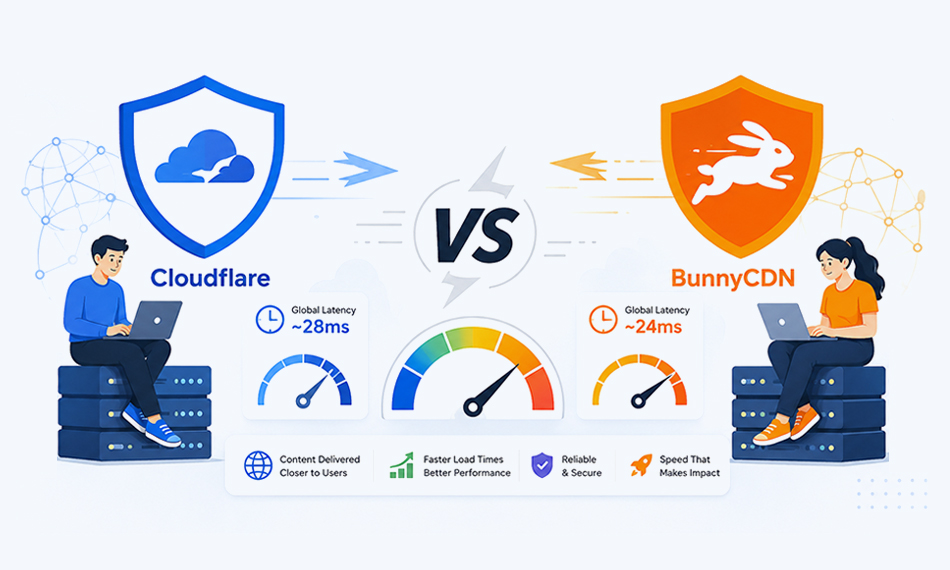
Average global latency on Cloudflare is around 28ms
BunnyCDN Speed Performance: Why It’s Faster for Content Delivery
BunnyCDN operates 119+ PoPs globally, fewer locations than Cloudflare, but with a network optimized purely for throughput and low latency. Every plan gets the same performance.
BunnyCDN’s SmartEdge Routing is worth highlighting. Rather than just routing to the geographically nearest PoP, it routes to the fastest available node, which reduces latency spikes in regions where the nearest server might be under load.
Independent benchmarks and real-world migrations consistently report:
- 15-30% faster TTFB compared to Cloudflare Pro, especially from European and Middle Eastern locations
- 95%+ cache hit ratio across typical deployments
- More consistent speeds for heavy media sites, images, large files, and assets load faster because BunnyCDN doesn’t throttle bandwidth on standard plans
Average global latency on BunnyCDN is around 24ms
BunnyCDN’s global latency of ~24ms beats Cloudflare’s ~28ms average. That 4ms gap might sound small, but across thousands of daily page loads, especially for image-heavy pages and eCommerce product listings, it adds up in measurable ways.
BunnyCDN vs Cloudflare Speed Comparison
This is the core question, and the numbers are fairly clear.
Cloudflare vs BunnyCDN: Features and Use Case Differences
When comparing Cloudflare vs BunnyCDN, speed is only one part of the decision. The two platforms are built with different priorities, which affects how they perform beyond raw content delivery.
Cloudflare is designed as a full-edge platform. It combines CDN, security, DNS, and edge computing into a single system. BunnyCDN focuses primarily on fast content delivery, with additional features built around performance rather than platform breadth.
Here’s how they differ in practical use:
In terms of use cases:
- Cloudflare is better suited for websites that need security, traffic filtering, or edge logic alongside CDN performance. This includes SaaS platforms, high-traffic sites, and applications exposed to bot traffic.
- BunnyCDN is more focused on speed and cost efficiency. It performs particularly well for media-heavy websites, eCommerce stores, and projects where fast asset delivery is the main priority.
For users deciding between the two, the choice is less about which is “better” overall and more about whether the site needs a full platform or a specialized CDN.
Cloudflare vs BunnyCDN: Impact on Core Web Vitals
Core Web Vitals are now a confirmed Google ranking factor, and CDN choice directly influences two of the three main metrics.
LCP (Largest Contentful Paint) is the most CDN-sensitive metric. LCP measures how quickly the page’s main visual element, usually a hero image or large text block, becomes visible. Since a CDN delivers images and static assets from edge nodes, lower CDN latency = faster LCP. BunnyCDN’s lower latency and higher cache hit ratio give it a measurable LCP advantage, particularly for image-heavy pages.
TTFB (Time to First Byte) feeds into multiple performance scores. Google’s PageSpeed Insights flags TTFB above 600ms as a problem. A well-configured CDN should bring TTFB well under that threshold. BunnyCDN’s SmartEdge Routing keeps TTFB consistently low across all plan tiers, whereas Cloudflare’s TTFB can vary depending on traffic load on shared free-tier nodes.
CLS (Cumulative Layout Shift) is less directly tied to CDN; it’s more about how CSS, fonts, and images are coded. However, faster delivery of CSS and web fonts through a CDN reduces the window during which layout shifts can occur.
For sites actively trying to improve Core Web Vitals scores, BunnyCDN’s delivery consistency is a practical advantage, especially for those not on Cloudflare’s paid plans.
Does CDN Choice Affect SEO and Rankings?
A CDN doesn’t directly tell Google to rank a site higher, but it influences the signals that do.
Page speed is a Google ranking factor for mobile search. Both CDNs improve page speed, but BunnyCDN does it more consistently across plan tiers and geographic regions.
TTFB and crawl speed are connected. When Googlebot crawls a site, it processes pages faster when TTFB is low. Consistently low TTFB means new content gets indexed more reliably, and crawl budget is used more efficiently. For large sites publishing content frequently, this matters.
Cloudflare CDN for SEO adds one advantage worth noting: its bot filtering reduces junk crawler traffic, which can protect crawl budgets on sites that attract significant scraper activity. This is a secondary benefit and not directly a speed improvement, but it keeps the origin server’s resources focused on legitimate traffic.
BunnyCDN for SEO works through pure delivery speed, faster assets, better LCP, and more consistent TTFB. For most websites focused on Core Web Vitals improvement, this is the more direct route to better Page Experience scores.
Cloudflare vs BunnyCDN Pricing and Performance
For sites where speed at the lowest possible cost is the goal, BunnyCDN’s pay-as-you-go model delivers full performance from the entry level. A site using 500GB of bandwidth per month pays around $5 on BunnyCDN versus $20 on Cloudflare Pro and gets faster delivery.
Cloudflare’s free plan is the exception. For very small sites and blogs with minimal traffic, the free plan provides meaningful speed improvement at zero cost. But the moment traffic or media usage grows, BunnyCDN becomes a more cost-effective and faster option.
Cloudflare vs BunnyCDN: Pros and Cons
A quick breakdown makes the differences easier to evaluate.
Cloudflare Pros:
- Large global network with strong coverage
- Built-in security features (WAF, DDoS protection)
- Integrated DNS and edge computing
- Free plan available
Cloudflare Cons:
- Performance varies across plan tiers
- Advanced features locked behind higher pricing
- Setup requires DNS-level changes
BunnyCDN Pros:
- Lower latency and consistent performance
- Same speed across all pricing tiers
- Simple setup without DNS changes
- Cost-efficient pay-as-you-go pricing
BunnyCDN Cons:
- Limited security features compared to Cloudflare
- Smaller network footprint
- Not a full-edge platform
Cloudflare vs BunnyCDN Setup: Which Is Easier for Beginners?
Setup simplicity affects how quickly speed improvements take effect and how easy it is to maintain them.
BunnyCDN: Create an account, add a Pull Zone pointing to the origin server, update the CDN URL in the website’s settings or plugin, and done. No DNS changes required. Setup typically takes under 30 minutes and doesn’t require touching nameservers or DNS records.
Cloudflare: Requires moving the entire domain’s nameservers to Cloudflare. This is a bigger step that affects DNS, email routing, and potentially other services. For users unfamiliar with DNS management, this adds friction. Once set up, it works well, but the initial configuration is more involved.
For a site owner whose primary goal is faster load times with minimal setup, BunnyCDN is the simpler path.
Conclusion
For pure website speed, BunnyCDN delivers faster latency, more consistent TTFB, and better performance-per-dollar (especially for sites on a budget or running on non-enterprise plan tiers). Cloudflare is the stronger option when a broader platform is needed, but from a speed-only perspective, BunnyCDN holds a clear advantage for most standard websites and eCommerce stores.
The choice depends on what the site needs most. If the goal is the best possible load times at the lowest cost, BunnyCDN is the answer. If the full platform is needed for other reasons, Cloudflare still improves speed meaningfully, especially on paid plans.
People Also Ask
Which CDN is faster, Cloudflare or BunnyCDN?
Is Cloudflare's free plan enough for website speed?
Does BunnyCDN improve Core Web Vitals?
Which CDN is better for beginners?
Can a CDN alone improve website speed significantly?
Which CDN gives better results for e-commerce speed?
Does CDN choice affect how fast Google indexes a website?
About the Author