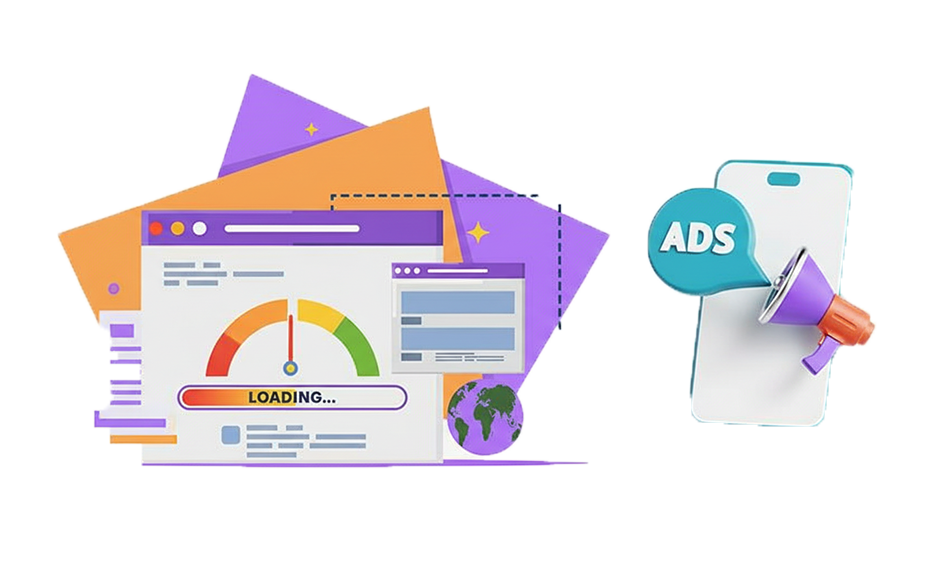
TL;DR: Slow page speed hurts Google Ads performance by increasing bounce rates, lowering Quality Score, and wasting ad spend. In this blog, learn the major issues draining your Google Ads budget and the practical ways to fix them. Discover how improving landing page speed, targeting, and user experience can help lower CPC, reduce wasted spend, and improve Google Ads ROI.
In paid search marketing, every millisecond matters. When brands invest in Google Ads, they aim to attract high-intent users, but the page speed impact on Google Ads performance becomes critical the moment someone clicks an ad. If the landing page loads slowly, that investment quickly loses value.
Slow landing page Google Ads traffic is more than a technical issue; it increases campaign costs, weakens user engagement, and reduces conversions. Multiple studies show that even small delays in page speed significantly drain Google Ads budgets. For example, Google has stated that for every 1-second delay in mobile page load time, conversions can fall by up to 20%, directly showing the page speed impact on Google Ads performance and conversions.
Why Page Speed Directly Impacts Google Ads Performance
When a user clicks an ad, the next step, landing page load time, is a make-or-break moment. If that page is slow, users bounce. But more importantly for advertisers, this behavior feeds back into how Google evaluates your campaign.
Slow Pages Hurt User Experience
Studies consistently show that short delays in page loading have major effects on user engagement:
- More than 50% of users abandon pages that take longer than three seconds to load.
- Consistently poor engagement signals (such as rapid exits and low interaction) suggest that the landing page may not satisfy user intent.
This makes the Google Ads landing page speed metric not just a technical measure but a core business KPI: poor speed equals poor experience, equals fewer conversions, and you still pay for every lost click.
Slow Page Speed and Bounce Rates
Bounce rates track the percentage of visitors who leave without interacting. Slow load times drastically inflate this metric:
- Pages that load in 5 seconds may see bounce rates two to four times higher than those that load in under 2 seconds.
- A quick bounce indicates poor user satisfaction signals, such as short dwell time and low engagement, which negatively affect landing page experience evaluation.
For Google Ads campaigns, that means higher Google Ads wasted spend, clicks that never turn into meaningful actions.
What Is the Ideal Page Speed for Google Ads?
There’s no single number that guarantees success, but industry benchmarks show clear patterns:
- Under 2 seconds or less load time is widely cited as the goal for landing pages to retain users and keep bounce rates low.
- Google’s Core Web Vitals guidelines (Largest Contentful Paint < 2.5s) align with performance expectations that also shape ad landing experience metrics.
- Anything above 4 seconds begins to exhibit a significant drop-off in conversions and can negatively affect Quality Score and cost per click.
Optimizing toward these thresholds can materially elevate both ad performance and campaign ROI.
How Slow Page Speed Impacts Google Ads Quality Score?
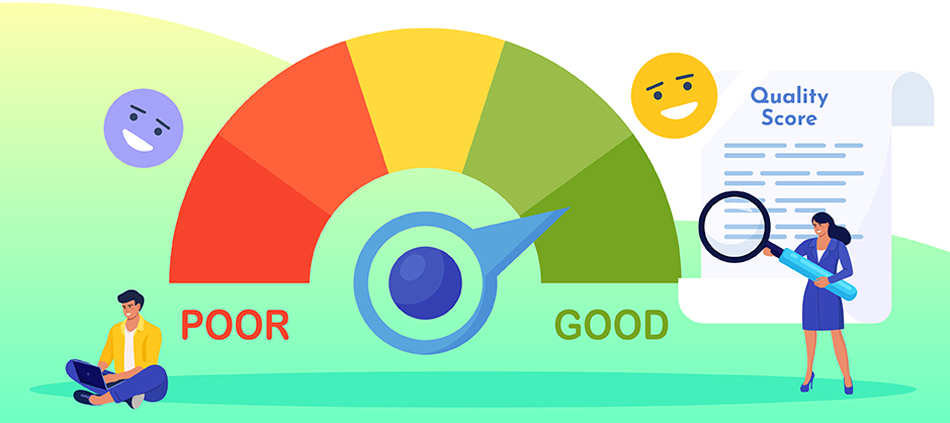
Slow page speed affects Google Ads Quality Score mainly through the landing page experience component. Google evaluates how relevant and useful your landing page is after an ad click, and website speed optimization is a key factor in that experience. Slow-loading pages increase bounce rates and reduce engagement, signaling poor user satisfaction.
Without an effective speed optimization strategy, landing pages, especially on mobile, fail to meet user expectations. Over time, this lowers Quality Score, increases cost per click, and reduces ad visibility.
Let’s understand Quality Score in more detail and why optimizing website speed is essential for maintaining efficient Google Ads performance.
What is Google Ads Quality Score?
Google Ads Quality Score is a diagnostic metric that helps determine:
- How relevant and useful your ad is to users
- Your expected click-through rate (CTR)
- Relevance of ad and landing page to search intent
- Landing page experience, including load speed
Google explicitly includes landing page experience, which incorporates speed as part of the Quality Score framework that impacts rankings and cost efficiency.
Why Quality Score Matters
A high Quality Score leads to:
- Lower cost per click (CPC)
- Better ad positions
- More efficient budget utilization
- Improved ad visibility
Conversely, slow landing pages that degrade user experience can drag down Quality Score, increasing CPC and wasting budget on lower-performing placements.
Common Mistakes Hurting Your Google Ads Budget and Their Fixes
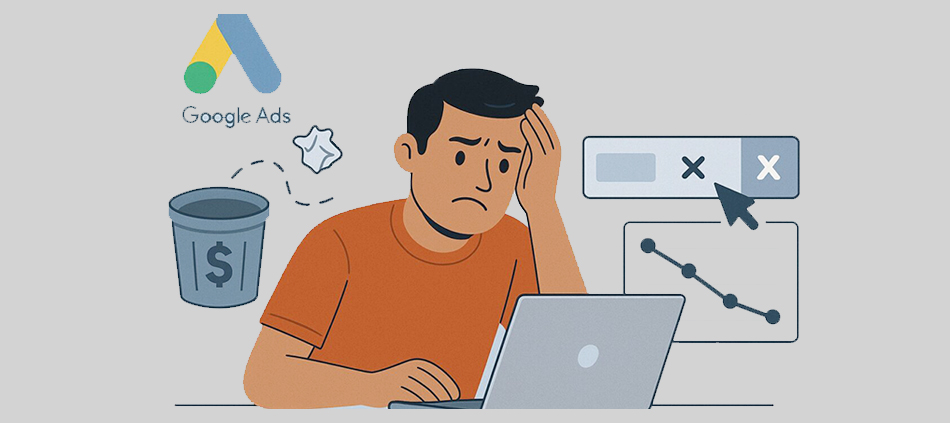
Most Google Ads budget leaks come from relevance gaps, tracking issues, slow landing pages, and the page speed impact on Google Ads performance. Below are the most common causes and practical fixes.
1. Broad Keywords and Poor Targeting
Using overly broad match keywords allows ads to appear for searches that have little or no commercial intent. For example, a local business selling custom wedding cakes may trigger ads for searches like “ingredients to make a cake” or “best wedding planner,” resulting in irrelevant clicks and zero conversions.
Why this hurts your budget:
Irrelevant impressions and clicks reduce CTR, increase bounce rates, and weaken landing page experience signals, all of which negatively affect Quality Score and inflate cost per click.
How to Fix:
Adopt a tighter keyword strategy:
- Use exact and phrase match keywords for high-intent queries.
- Segment campaigns by intent (e.g., “buy,” “near me,” “pricing”).
- Apply geo-targeting to restrict ads to serviceable locations.
- Continuously review performance at the keyword level and pause underperforming terms.
This approach improves relevance, reduces wasted spend, and ensures your ads reach users more likely to convert.
2. Missing Negative Keywords
Failing to use negative keywords allows ads to continue showing for irrelevant searches such as “free,” “DIY,” “how to make,” or unrelated product categories. These queries are typically informational in nature, not transactional, and attract users who are researching rather than ready to buy.
Why this hurts your budget:
Every irrelevant click consumes budget without any possibility of conversion, increasing Google Ads wasted spend and distorting campaign performance data.
Targeted Fixes:
Make negative keyword management an ongoing process:
- Review the Search Terms Report weekly.
- Identify irrelevant or low-intent queries and add them as negatives.
- Use shared negative keyword lists across campaigns for consistency.
- Add negatives at the correct level (campaign or ad group) to avoid blocking valuable traffic.
Over time, this significantly improves traffic quality and lowers cost per conversion.
3. Broken Conversion Tracking Setup
Without accurate conversion tracking, Google Ads optimization becomes guesswork. Advertisers may increase bids on keywords that generate clicks but not sales, while undervaluing actual revenue drivers.
Why this hurts your budget:
Google’s automated bidding and optimization rely heavily on conversion data. Inaccurate tracking leads to poor bid decisions, inefficient automation, and misallocated spend.
Fixes:
Implement reliable tracking infrastructure:
- Set up Google Analytics 4, Google Ads conversion tracking, and Google Tag Manager correctly.
- Track meaningful actions such as purchases, form submissions, phone calls, or key engagement events.
- Verify conversions using test actions and real-time reports.
- Regularly audit tracking after site updates or redesigns.
Accurate data enables smarter bidding, better optimization, and higher ROI.
4. Poor or Slow Landing Pages
Even the best-written ads fail if they send users to slow, cluttered, or irrelevant landing pages. Poor landing page experience is one of the fastest ways to lose conversions and damage Quality Score.
Why this hurts your budget:
Slow load times increase bounce rates, while mismatched messaging breaks user trust. Both signals tell Google that your landing page is not meeting user intent
Major Fixes:
Optimize landing pages for speed, relevance, and clarity:
- Improve page load speed, especially on mobile devices.
- Ensure the landing page headline matches the ad copy and keywords.
- Remove unnecessary distractions and focus on a single conversion goal.
- Make CTAs prominent and easy to complete.
- Optimize for mobile responsiveness and usability.
Better landing pages improve conversion rates, Quality Score, and overall ad efficiency.
5. Unused Ad Extensions (Assets)
Skipping ad extensions means missing opportunities to provide additional context, credibility, and reasons to click.
Why this hurts your budget:
Ads without extensions are less prominent and often receive lower CTR, which can increase CPC and reduce ad rank.
How to Fix this:
Use all relevant ad assets:
- Sitelinks to highlight key pages or offers.
- Callouts to emphasize benefits such as free shipping or 24/7 support.
- Structured snippets to showcase services or product categories.
- Call extensions for businesses that benefit from phone leads.
These assets improve visibility, increase CTR, and enhance overall ad performance without additional cost.
6. Lack of Mobile Optimization
A majority of Google Ads traffic comes from mobile devices, yet many advertisers still prioritize desktop experiences.
Why this hurts your budget:
Non-optimized mobile landing pages load slower, are harder to navigate, and lead to higher abandonment rates, especially for paid traffic.
Ways to Fix it:
Adopt a mobile-first approach:
- Design landing pages specifically for smaller screens.
- Optimize page speed for mobile networks.
- Simplify forms and reduce input fields.
- Ensure buttons and CTAs are easily tappable.
Improving mobile experience directly impacts landing page experience and conversion rates.
7. Unmonitored Google Ads Campaigns
Launching campaigns and leaving them unattended leads to declining performance over time as search behavior, competition, and costs change.
Why this hurts your budget:
Without regular optimization, inefficiencies compound, Quality Scores drop, and CPCs rise.
How to Fix it:
Implement continuous optimization:
- Conduct regular performance audits.
- A/B test ad copy, headlines, and CTAs.
- Adjust bids based on CTR, conversion rate, and Quality Score.
- Pause low-performing ads and scale high-converting ones.
Consistent monitoring keeps campaigns aligned with performance goals.
8. Over-Use of Automation
Google Ads automation can be powerful, but blindly accepting recommendations, such as expanding to broad match keywords, can introduce inefficiencies.
Why this hurts your budget:
Automation without oversight may prioritize volume over relevance, increasing irrelevant traffic and wasted spend.
Fixes:
Use automation strategically:
- Review recommendations critically before applying them.
- Combine automation with manual controls.
- Monitor performance changes after adopting automated bidding or keyword expansion.
- Align automation settings with your business goals, not just Google’s suggestions.
Balanced automation helps reduce cost per click while maintaining control over traffic quality.
9. Paying for Irrelevant Clicks
One of the most common and costly problems in Google Ads is paying for clicks from users who were never likely to convert in the first place. Irrelevant clicks occur when ads appear for searches that don’t match user intent, business offerings, or geographic reach.
Why this hurts your budget:
Irrelevant clicks increase ad spend without contributing to conversions, revenue, or meaningful engagement. They also distort performance metrics by lowering click-through rate (CTR), increasing bounce rates, and weakening landing page experience signals. Over time, these negative signals can reduce Quality Score, leading to higher cost per click and reduced ad efficiency, even for relevant traffic.
In short, you’re paying for visibility that delivers no return.
Major Fixes:
To minimize wasted spend from irrelevant clicks, advertisers need to tighten targeting and continuously refine traffic quality:
- Audit search term reports regularly to identify queries that trigger ads but don’t align with buying intent.
- Expand negative keyword lists to block informational, low-intent, or unrelated searches such as “free,” “DIY,” “how to,” or unrelated product categories.
- Use precise keyword match types, prioritizing phrases and exact matches for high-intent campaigns.
- Refine location targeting to ensure ads only appear in areas where users can realistically convert.
- Align ad copy with clear intent, so ads attract users who are actively looking for your specific solution.
- Monitor engagement metrics like bounce rate and time on page to spot traffic quality issues early.
By filtering out low-intent traffic and focusing the budget on users who are more likely to convert, advertisers can significantly reduce Google Ads wasted spend, improve Quality Score, and increase overall campaign ROI.
10. Incorrect Location Targeting
Many advertisers run Google Ads without fully configuring location targeting, allowing ads to show outside their actual service areas. This often includes users in the wrong cities, states, or even countries, especially when Google’s default “Presence or Interest” setting is left unchanged.
Why this hurts your budget:
Showing ads to users who cannot realistically convert leads to irrelevant clicks, inflated costs, and misleading performance data. These clicks increase spend without improving conversions, contributing directly to Google Ads wasted spend.
How to Fix this:
Tighten your location strategy:
- Use “Presence: People in or regularly in your targeted locations” instead of “Presence or Interest.”
- Exclude regions where you do not operate or ship.
- Create separate campaigns for high-performing locations with customized bids.
- Monitor performance by location and reallocate budget toward regions generating conversions.
Precise geo-targeting ensures your budget is spent on users with real purchase intent.
Tools to Check Your Landing Page Speed
To diagnose bottlenecks and benchmark landing page speed use at least two tools to cross-check real-world vs lab performance:
- Google PageSpeed Insights: Measures performance and Core Web Vitals and gives recommendations.
- Google Ads Mobile Speed Scorecard / Impact Calculator: Shows how mobile speed correlates with potential conversion impacts.
- Lighthouse: A built-in tool in Chrome DevTools for performance audits.
- GTmetrix / WebPageTest: For deeper performance breakdowns and waterfall timelines.
Conclusion
The page speed impact on Google Ads today goes far beyond technical performance, it’s a core factor that directly influences user experience, Quality Score, cost per click, and ultimately your bottom line. Slow landing page Google Ads traffic doesn’t just cost you seconds, it costs you dollars through wasted spend and lost opportunities.
Optimizing your landing page speed is not optional; it’s a strategic investment that helps reduce Google Ads wasted spend, improve Quality Score factors, and significantly improve Google Ads ROI. With the right tools and best practices, you can turn every click into a potential conversion rather than a waste of valuable budget.
FAQs
Q1: Can slow landing pages cause Google Ads to spend more than necessary?
Q2: What load time should I aim for in Google Ads?
Q3: Does Google still consider page speed in Quality Score?
Q4: What's the biggest user behavior change when page speed is slow?
Q5: How quickly can speed improvements reflect in Google Ads performance?
About the Author