






TL;DR: A “Below average” Google Ads landing page experience means Google considers the page less relevant or useful than comparable landing pages for the same searches. Fix it by improving ad-to-page relevance, navigation, mobile usability, content clarity, and loading performance.
Seeing “Below average” under landing page experience can be confusing, especially when the landing page looks good and loads reasonably fast.
In Google Ads, this status is a diagnostic signal that your landing page may not be providing the relevance or experience Google expects compared with other pages competing for the same searches. The issue can involve the connection between the search, ad, landing page, navigation, mobile experience, and page speed.
Fixing it is not simply about adding more keywords or improving your PageSpeed score. The goal is to make the path from search to ad to landing page clear, relevant, and easy to complete.
Quick Fixes for a “Below Average” Google Ads Landing Page Experience
A “below-average” landing page experience means Google Ads sees an opportunity to improve the relevance or usefulness of the page for people who click your ad. To improve it, check these areas:
| Area | What to improve |
|---|---|
| Search intent | Make sure the landing page satisfies what people actually searched for. |
| Ad relevance | Match the page’s offer, headline, product, service, and CTA to the ad. |
| Content | Put important information where visitors can find it easily. |
| Navigation | Remove unnecessary steps and make the next action clear. |
| Mobile experience | Make the page readable, tappable, and easy to use on mobile. |
| Page speed | Improve loading and interaction performance, especially on mobile. |
| Conversion path | Fix broken forms, buttons, redirects, and other sources of friction. |
Don’t focus only on PageSpeed or keyword usage. Google Ads landing page experience evaluates the broader relationship between the search, ad, landing page, and visitor experience.
What Does “Below Average” Landing Page Experience Mean in Google Ads?
A “Below average” landing page experience status means Google has identified an opportunity to improve how useful and relevant the destination page is for people who click your ad. It does not mean your webpage is universally “bad,” nor does it mean Google has given the page a fixed failing grade.
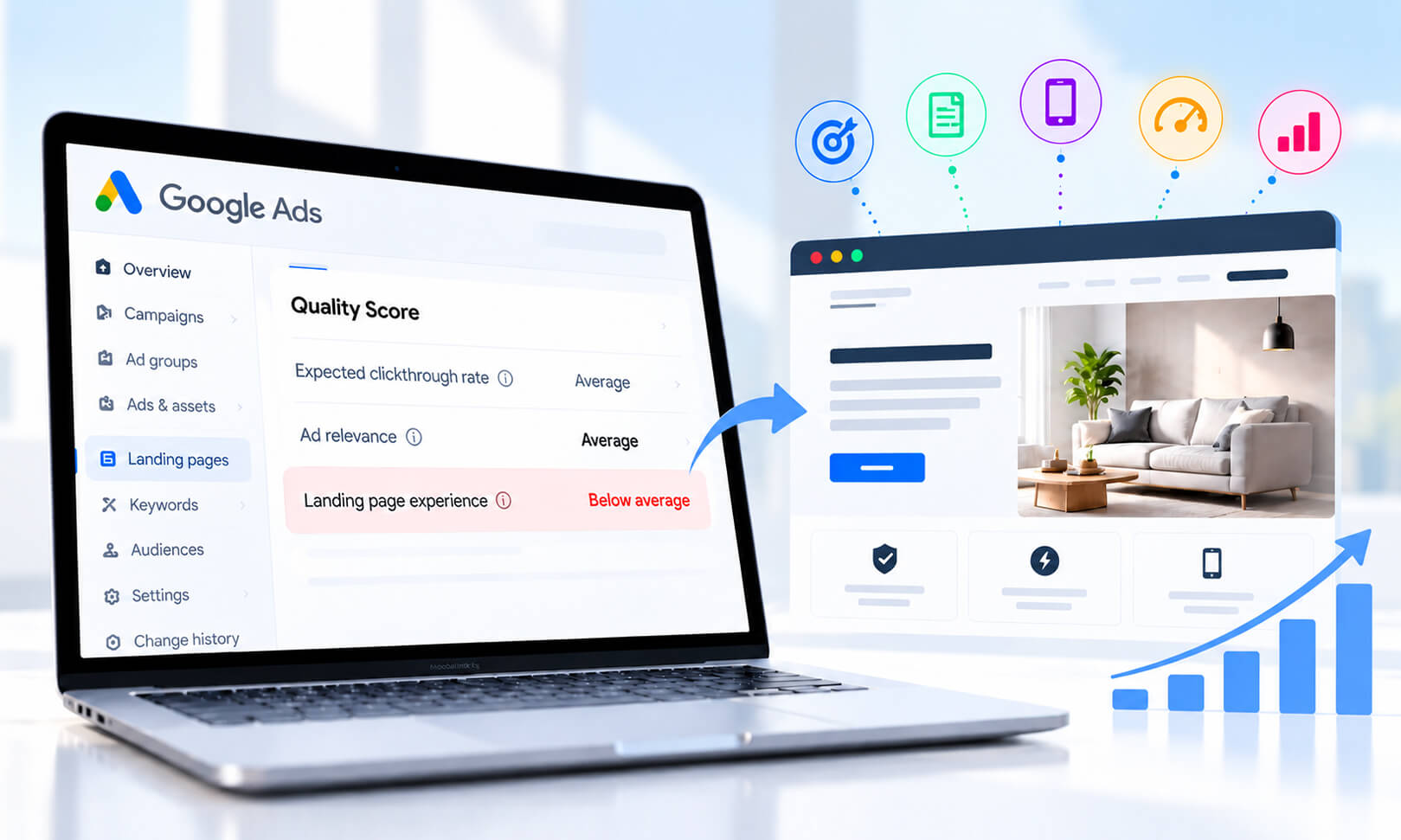
Google Ads Quality Score has three diagnostic components:
- Expected click-through rate
- Ad relevance
- Landing page experience
Each can show Above average, Average, or Below average.
Importantly, Google states that Quality Score itself is a diagnostic tool rather than an auction input. The real-time quality assessments used in ad auctions are separate from the 1-10 Quality Score displayed in the account.
That does not mean landing page quality is irrelevant to ad performance: Google considers the quality of the ad and landing page when determining Ad Rank and auction outcomes.
So, treat “Below average” as a diagnostic signal: something about the relationship between the search, ad, landing page, and user experience deserves investigation.
Where to Find “Below Average” Landing Page Experience in Google Ads
In Google Ads, you can find landing page experience as one of the Quality Score components for eligible Search campaign keywords.
Open your Search campaign, go to the Keywords section, and review the Quality Score columns. You can add columns for Quality Score, Landing page experience, Ad relevance, and Expected CTR if they are not already visible.
Look for the Landing page experience status of Below average, Average, or Above average. Use this status as a diagnostic signal rather than as a target to maximize.
Google recommends evaluating Quality Score alongside performance metrics such as CTR, conversion rate, and site engagement rather than treating the Quality Score number itself as the primary performance goal.
Why Does Google Ads Rate a Landing Page as Below Average?
There is no single publicly documented formula that tells advertisers exactly how Google calculates the landing page experience status.
Google describes the experience in terms of factors including the usefulness and relevance of information, ease of navigation, the number of links on the page, and the expectations users have based on the ad they clicked.
In practice, several problems can contribute to a weak experience.
The page does not fully satisfy the search intent
Imagine someone searches for “emergency roof repair” and clicks an ad promising same-day emergency repairs. If the landing page primarily discusses general roofing services and makes visitors search for the emergency service themselves, there is a disconnect.
The page may be professionally designed, but it does not immediately satisfy the reason the person clicked.
The ad promises something the page does not deliver
Ad-to-page consistency is particularly important.
For example:
Ad: “50% Off Annual Accounting Software – Start Today”
But the landing page says:
“Explore Our Accounting Software”
The visitor has been promised a specific offer and then arrives somewhere that does not clearly confirm it. The stronger approach is to make the landing page immediately confirm the offer, product, service, or action described in the ad.
The page makes important information difficult to find
A landing page does not necessarily need to be short. It needs to make the information relevant to the visitor easy to locate.
If pricing, product details, service coverage, eligibility, shipping information, or the primary CTA is buried beneath several sections, users have to work harder than necessary. Google specifically identifies ease of navigation as part of landing page experience.
The page creates unnecessary friction
Broken buttons, intrusive pop-ups, difficult forms, confusing navigation, missing information, or mobile layouts that require excessive scrolling can all make the experience worse.
A useful diagnostic question is simple:
After clicking the ad, can a visitor understand what they are looking at and what to do next without having to figure out the website?
If the answer is no, the page needs work.
What Makes a Landing Page Relevant to a Google Ad?
Relevance is not simply about repeating the exact keyword on the page.
Google explicitly notes that the exact wording of a search does not necessarily need to appear word-for-word on the landing page. The more important issue is whether the page gives visitors what they were looking for.
Consider this example:
Search: “best accounting software for small businesses”
Ad: “Accounting Software for Small Businesses — Automated Invoicing”
Landing page: A page specifically explaining the software’s small-business features, invoicing workflow, pricing, and signup process.
The three stages tell the same story.
Compare that with sending the visitor to a generic software homepage containing dozens of unrelated products. Even if the keyword appears somewhere on the page, the overall experience is less focused.
A good landing page therefore aligns search intent + ad promise + page content + next action.
Does Page Speed Affect Google Ads Landing Page Experience?
Yes, page speed can affect the quality of the landing-page experience.
Google Ads specifically recommends improving loading speed when a landing page experience is below average or average. Google also says that improving landing-page speed can be particularly useful for mobile advertising.
However, this does not mean that a slow PageSpeed Insights score automatically produces a “Below average” landing page experience status. Speed is one part of a broader experience.
For example, a page can load quickly but still be poorly matched to the ad. Conversely, a highly relevant page can still create a frustrating experience if it takes too long to become usable.
For a practical performance diagnosis, check:
- LCP: How quickly the main visible content appears.
- INP: How responsive the page is when visitors interact with it.
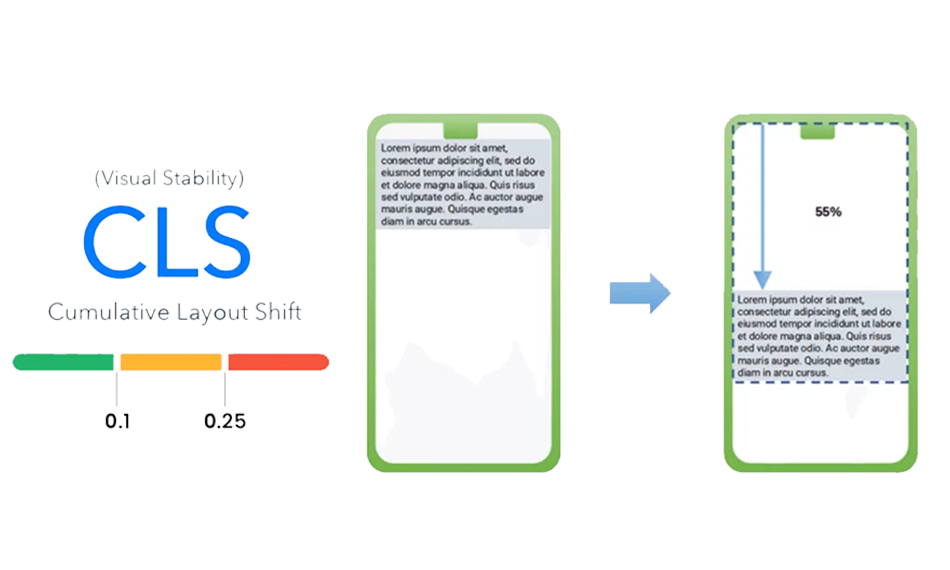
- CLS: Whether elements unexpectedly move while the page loads.
- JavaScript execution and main-thread work.
- Render-blocking resources.
- Image and font loading.
- Third-party scripts.
For JavaScript-heavy landing pages, unnecessary scripts can delay rendering and interaction.
How Does Mobile Page Experience Affect Google Ads?
Mobile experience matters because Google recommends making landing pages mobile-friendly, easy to navigate, and fast for people arriving from ads. A landing page that looks excellent on a desktop can still create problems on a smartphone.
Check the actual mobile experience rather than relying only on a desktop test. Look for:
- Text that requires zooming.
- Buttons that are difficult to tap.
- Horizontal scrolling.
- Menus that cover important content.
- Slow-loading hero images.
- Forms that are awkward to complete.
- Sticky elements that consume most of the viewport.
- Pop-ups that obscure the main content.
Google’s guidance recommends making websites mobile friendly and ensuring information is easy to find with intuitive navigation.
Mobile performance also deserves a separate check because mobile devices and networks can expose problems that are less obvious on desktop.
How to Fix a Below-Average Landing Page Experience
The best approach is to diagnose the problem in the same order a visitor experiences it.
1. Start with the actual search terms
Do not optimize the landing page based only on the keyword you originally selected. Review the Search terms report and identify what people actually searched before clicking.
Group those searches by intent. If one landing page is receiving traffic for several substantially different intents, consider whether a more specific page would better satisfy some of those searches.
2. Match the ad’s promise to the landing page
Compare the headline, offer, product, service, pricing claim, and CTA in the ad with the first screen of the landing page. If your ad says “Free Consultation”, the landing page should make that offer obvious.
If your ad promotes a specific product category, visitors should land on that category rather than being forced through a generic homepage. This is often a more meaningful improvement than simply adding more keywords to the page.
3. Make the primary action obvious
A visitor should not have to search for the next step. Depending on the campaign, that might be:
Buy now → product page or checkout
Get a quote → short quote form
Book a consultation → scheduling flow
Download → relevant download form
The CTA should also work correctly on mobile.
4. Remove unnecessary friction
Test the complete journey yourself. Click the ad or reproduce the same journey in a browser. Check whether the page loads correctly, the CTA works, forms submit, menus function, and important information is accessible without unnecessary steps.
For ecommerce pages, test product selection, variant selection, cart actions, and checkout transitions where applicable.
5. Improve mobile performance
Run the exact landing-page URL through PageSpeed Insights and test it on a real mobile device.
Do not automatically implement every recommendation. First identify the issues that affect the visitor’s actual experience.
A large hero image, excessive JavaScript, third-party chat, tracking scripts, or render-blocking resources may deserve attention before minor code-level recommendations.
6. Audit third-party scripts
Marketing pages often accumulate analytics, chat, heatmaps, personalization tools, A/B testing scripts, social widgets, and tracking technologies.
Each may have a legitimate purpose, but collectively they can increase browser work. Remove scripts that are no longer needed and defer non-critical scripts where technically appropriate.
7. Check the page after every major change
Do not make ten changes and then assume the result has improved. After significant changes, test:
- Landing page experience status.
- Search terms.
- Conversion rate.
- Mobile usability.
- Page performance.
- Form and CTA functionality.
- Actual user behavior.
Google recommends using Quality Score as a diagnostic tool alongside metrics such as CTR, conversion rate, and site engagement rather than treating the Quality Score number as the primary performance goal.
How to Check Your Landing Page Before Changing Your Google Ads Campaign
Before restructuring keywords or pausing ads, run a simple landing-page audit.
| Check | What to look for |
|---|---|
| Search intent | Does the page satisfy the reason behind the search? |
| Ad message | Does the page deliver what the ad promised? |
| First screen | Can visitors understand the offer immediately? |
| CTA | Is the intended action obvious and functional? |
| Mobile | Is everything readable, tappable, and easy to navigate? |
| Speed | Does important content appear quickly? |
| Technical | Are there broken links, scripts, forms, or redirects? |
| Content | Are the key questions and objections answered? |
| Conversion path | Can a visitor complete the intended action without unnecessary friction? |
This process helps prevent a common mistake: changing keywords or campaign structure when the bigger problem is actually the destination page.
Conclusion
A Google Ads landing page experience marked “Below average” is a diagnostic signal, not a verdict on your website. Focus on matching search intent with the ad and landing page, providing useful information, reducing friction, and improving mobile usability and speed.
Ultimately, the goal is simple: give visitors what they expected after clicking the ad and make the next step easy.
FAQs
Does a “Below average” landing page experience lower Quality Score?
How long does it take for Google Ads landing page experience to improve?
Does changing keywords fix a below-average landing page experience?
Should I create a separate landing page for every Google Ad?
Is a high PageSpeed score enough to get an above-average landing page experience?
Where can I see my landing page experience status in Google Ads?
Can improving landing page experience reduce Google Ads costs?
About the Author