






TL;DR: The right conversion rate optimization tools help you convert more visitors into customers without increasing your advertising budget. From improving website speed and tracking visitor behavior to running A/B tests and optimizing images, these tools solve different parts of the conversion journey. This guide compares the 10 best CRO tools for 2026, their features, pros, cons, and ideal use cases to help you choose the right solution for your business.
Driving website traffic is only half the battle, the real challenge is turning visitors into customers, leads, or subscribers.
Many websites lose potential conversions due to slow loading speeds, poor user experience, confusing navigation, or a lack of insight into visitor behavior. That’s where conversion rate optimization tools make a difference.
Rather than relying on guesswork, these tools help identify conversion barriers, improve website performance, analyze user behavior, optimize images, and enhance search visibility. The most successful businesses combine multiple conversion optimization software solutions to optimize every stage of the customer journey.
Different CRO tools solve different conversion challenges. Some help improve website speed and user experience, while others focus on visitor behavior, analytics, A/B testing, lead generation, or search visibility. Understanding what each tool does makes it easier to choose the right solution for your business.
In this guide, we’ve rounded up the best CRO tools for 2026 based on their features, usability, and ability to help businesses improve conversions.
Quick Review: Best Conversion Rate Optimization Tools 2026
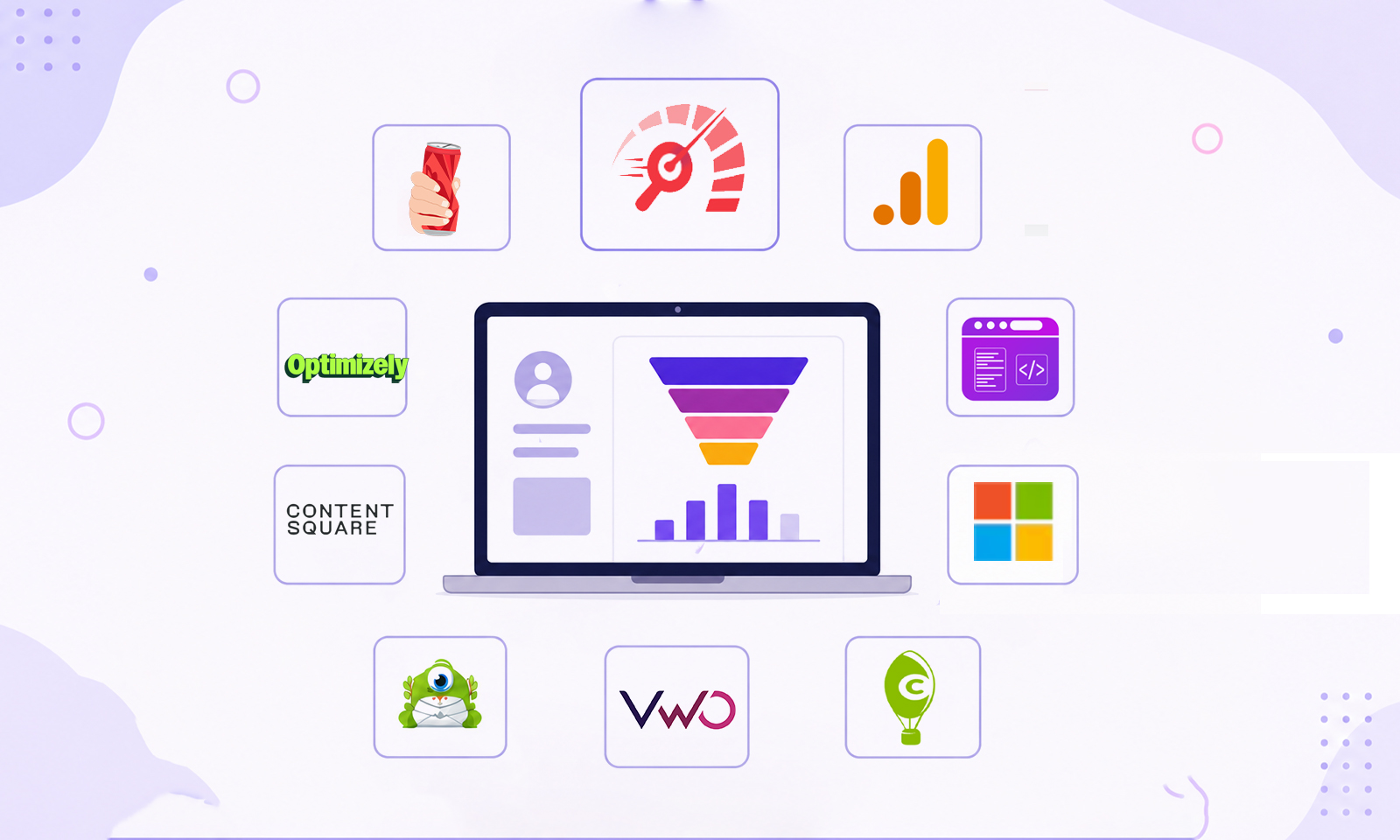
Use this quick comparison table to find the best CRO tools based on your business goals, whether you want to improve website speed, analyze user behavior, run A/B tests, or generate more leads.
| CRO Tool | Best For | Ideal For |
|---|---|---|
| Website Speedy | Website speed optimization | All businesses |
| Google Analytics 4 | Conversion tracking | Every website |
| JSON Schema App | Structured data | SEO-focused websites |
| Microsoft Clarity | Heatmaps & recordings | Small to enterprise businesses |
| Image Optimizer Pro | Image optimization | Ecommerce & content-heavy websites |
| Hotjar | User behavior insights | Marketing teams |
| Crazy Egg | Heatmaps & A/B testing | Landing pages |
| VWO | Experimentation | Mid-size & enterprise businesses |
| Optimizely | Feature experimentation | Enterprise organizations |
| OptinMonster | Lead generation | Ecommerce & SaaS |
What Are Conversion Rate Optimization Tools?
Conversion rate optimization (CRO) tools help businesses increase the percentage of website visitors who complete a desired action, such as making a purchase, filling out a form, or subscribing to a newsletter.
These tools provide insights into user behavior, improve website performance, enable testing, and help remove friction from the customer journey. Instead of focusing only on driving more traffic, CRO tools help you get more value from the traffic you already have.
How We Chose the Best Conversion Rate Optimization Tools
Not every CRO platform solves the same problem. Some focus on performance, while others specialize in analytics, testing, or user behavior. We evaluated each tool using the following criteria:
- Ease of implementation
- Features that directly impact conversions
- User experience improvements
- Analytics and reporting capabilities
- Scalability for growing businesses
- Industry reputation
This list is based on feature analysis, ease of implementation, industry reputation, real-world use cases, and how effectively each tool addresses different stages of conversion optimization. Rather than ranking tools by popularity alone, we’ve focused on their practical value for businesses of different sizes.
1. Website Speedy

Best For: Improving website speed, Core Web Vitals, and overall user experience.
A slow website is one of the fastest ways to lose potential customers. Google research shows that as page load time increases from one to three seconds, the probability of a visitor bouncing increases significantly. Website Speedy is designed to improve loading performance, optimize Core Web Vitals, and deliver a smoother browsing experience across desktop and mobile devices.
Since faster websites improve user experience and encourage visitors to stay longer, Website Speedy serves as an excellent website speed optimization tool for businesses looking to improve conversions while also supporting SEO performance.
Best suited for: Businesses looking to improve both website performance and conversions.
| Pricing | Details |
|---|---|
| Free Plan | Available (limited features) |
| Paid Plans | Customized plans available based on your website platform and advanced website speed optimization features. |
Key Features
- Core Web Vitals optimization
- Faster page loading
- Performance improvements without major code changes
- Reduced bounce rates
- Better mobile experience
- Mobile speed optimization
- Improve SEO performance
| Advantages | Disadvantages |
|---|---|
|
|
2. Google Analytics 4 (GA4)

Best For: Measuring conversions and understanding customer journeys.
Google Analytics 4 (GA4) is the foundation of most successful CRO strategies. Instead of simply reporting page views, it tracks user interactions through an event-based model, allowing businesses to understand how visitors engage with their websites before completing a conversion.
Whether you want to measure purchases, form submissions, scroll depth, or button clicks, GA4 provides valuable insights that help identify where users drop off and where improvements can have the greatest impact.
Best suited for: Every website serious about data-driven conversion optimization.
| Pricing | Details |
|---|---|
| Free Plan | Available (Standard plan) |
| Paid Plans | Enterprise users can upgrade to Google Analytics 360 with custom pricing. |
Key Features
- Event-based tracking
- Conversion reporting
- Funnel exploration
- User journey analysis
- Cross-device measurement
| Advantages | Disadvantages |
|---|---|
|
|
3. JSON Schema App

Best For: Improving search visibility with structured data.
Before visitors can convert, they need to find your website. JSON Schema App helps businesses implement and manage structured data, making it easier for search engines to understand website content and qualify for rich results.
While schema markup doesn’t directly increase conversions, it can improve click-through rates by displaying enhanced search listings such as product information, FAQs, reviews, breadcrumbs, and organization details. Higher-quality traffic often leads to better conversion opportunities, making a reliable Schema markup tool an important part of a modern CRO strategy.
Best suited for: Businesses investing in SEO and organic traffic growth.
| Pricing | Details |
|---|---|
| Free Plan | Available |
| Paid Plans | Customized plans available based on your website platform and business requirements. |
Key Features
- JSON-LD schema generation
- Rich Results support
- Schema validation
- Multiple schema types
- Easy implementation
| Advantages | Disadvantages |
|---|---|
|
|
4. Microsoft Clarity

Best For: Understanding real user behavior through heatmaps and session recordings.
Analytics show what users do, but Microsoft Clarity helps explain why they do it. It provides free heatmaps, session recordings, rage-click detection, dead-click reports, and scrolling behavior to uncover usability issues affecting conversions.
For example, if visitors repeatedly click a non-clickable element or abandon a form halfway through, Clarity makes these friction points easy to identify. Fixing these issues can significantly improve user experience and conversion rates.
Best suited for: Businesses wanting actionable UX insights without investing in expensive analytics software.
| Pricing | Details |
|---|---|
| Free Plan | Available |
| Paid Plans | Completely free with no paid version currently available. |
Key Features
- Heatmaps
- Session recordings
- Rage click detection
- Dead click reporting
- Scroll tracking
| Advantages | Disadvantages |
|---|---|
|
|
5. Image Optimizer Pro

Best For: Compressing and optimizing website images.
Large image files remain one of the biggest causes of slow-loading websites. An effective image optimization tool reduces file sizes while maintaining image quality, improving loading speed across all devices.
Image Optimizer Pro automatically compresses images, supports modern formats, and helps businesses improve website performance without manually editing every file. For ecommerce stores and image-heavy websites, this can have a noticeable impact on user experience and conversions.
Best suited for: Ecommerce stores, portfolios, blogs, and content-heavy websites.
| Pricing | Details |
|---|---|
| Free Plan | Available (platform-dependent) |
| Paid Plans | Premium plans unlock higher optimization limits, automation, and advanced image optimization features. |
Key Features
- Automatic image compression
- Modern image formats
- Bulk optimization
- Faster image delivery
- Improved page speed
| Advantages | Disadvantages |
|---|---|
|
|
6. Hotjar

Best For: Understanding user behavior through heatmaps, surveys, and visitor feedback.
While analytics platforms tell you what users do, Hotjar helps you understand why they behave that way. It combines heatmaps, session recordings, on-page surveys, feedback widgets, and user interviews into one platform, making it easier to identify friction points that affect conversions.
For example, if visitors abandon a checkout page or rarely click an important call-to-action, Hotjar can reveal whether poor page layout, confusing content, or usability issues are responsible. This makes it one of the best CRO tools for improving user experience through qualitative insights.
Best suited for: Marketing teams, UX designers, SaaS companies, and ecommerce businesses looking to understand visitor behavior beyond analytics.
| Pricing | Details |
|---|---|
| Free Plan | Available (limited usage) |
| Paid Plans | Starts at approximately $39/month, depending on the selected product and usage. |
Key Features
- Heatmaps
- Session recordings
- On-page surveys
- Feedback widgets
- User interviews
| Advantages | Disadvantages |
|---|---|
|
|
7. Crazy Egg

Best For: Heatmaps, click tracking, and landing page optimization.
Crazy Egg is one of the longest-running conversion optimization software platforms. It focuses on helping businesses understand how users interact with individual pages and provides built-in A/B testing capabilities for testing design changes.
Its heatmaps, scroll maps, click reports, and confetti reports highlight exactly where visitors engage or lose interest. This makes it particularly useful for improving landing pages, pricing pages, and product pages.
Best suited for: Businesses optimizing landing pages and marketing campaigns.
| Pricing | Details |
|---|---|
| Free Plan | 30-day free trial available |
| Paid Plans | Starts at $29/month |
Key Features
- Heatmaps
- Scroll maps
- Click tracking
- Confetti reports
- Built-in A/B testing
| Advantages | Disadvantages |
|---|---|
|
|
8. VWO

Best For: A/B testing, personalization, and experimentation.
VWO (Visual Website Optimizer) is a comprehensive experimentation platform designed to help businesses make data-driven decisions. Instead of guessing which page variation performs better, VWO lets you test multiple versions and measure which one generates more conversions.
Beyond traditional A/B testing, it supports multivariate testing, visitor segmentation, personalization, and behavioral analysis, making it one of the best CRO tools for businesses with ongoing optimization programs.
Best suited for: Businesses with consistent website traffic that want to improve conversions through continuous experimentation.
| Pricing | Details |
|---|---|
| Free Plan | Free plan available for selected products and limited usage. |
| Paid Plans | Growth, Pro, and Enterprise plans available with custom pricing. |
Key Features
- A/B testing
- Multivariate testing
- Visitor segmentation
- Personalization
- Behavioral analytics
| Advantages | Disadvantages |
|---|---|
|
|
9. Optimizely

Best For: Enterprise-grade experimentation and feature testing.
Optimizely is widely used by large organizations that need sophisticated experimentation across websites, applications, and digital products. It goes beyond page testing by enabling feature flagging, product experimentation, personalization, and customer journey optimization.
Its enterprise capabilities allow teams to test changes safely before rolling them out to all users, making it a popular choice for organizations managing complex digital experiences.
Best suited for: Enterprise organizations and large digital teams managing multiple products or websites.
| Pricing | Details |
|---|---|
| Free Plan | No |
| Paid Plans | Custom enterprise pricing based on business requirements. |
Key Features
- Enterprise A/B testing
- Feature experimentation
- Personalization
- Product experimentation
- Advanced analytics
| Advantages | Disadvantages |
|---|---|
|
|
10. OptinMonster

Best For: Lead generation and conversion-focused campaigns.
Not every visitor converts on their first visit. OptinMonster helps businesses capture more leads before visitors leave by displaying targeted popups, floating bars, slide-ins, welcome mats, and exit-intent campaigns.
Its targeting rules allow businesses to display personalized offers based on visitor behavior, referral source, device type, or page visited. This makes it an effective addition to a broader conversion optimization software stack.
Best suited for: Ecommerce stores, SaaS businesses, bloggers, and service-based businesses focused on growing email lists and generating leads.
| Pricing | Details |
|---|---|
| Free Plan | No |
| Paid Plans | Starts at $7/month (billed annually) |
Key Features
- Exit-intent technology
- Popups and slide-ins
- Floating bars
- Campaign targeting
- Lead capture forms
| Advantages | Disadvantages |
|---|---|
|
|
Recommended CRO Tech Stack by Business Type
Every business has different optimization needs. Use the table below to see which conversion rate optimization tools work best based on your business type and primary goals.
| Business Type | Recommended Tools |
|---|---|
| Small Business | Website Speedy, Google Analytics 4, Microsoft Clarity |
| Ecommerce | Website Speedy, Image Optimizer Pro, GA4, Hotjar, OptinMonster |
| SaaS | Website Speedy, GA4, VWO, Hotjar, JSON Schema App |
| Agency | Website Speedy, Microsoft Clarity, Crazy Egg, VWO |
| Enterprise | Optimizely, GA4, Website Speedy, JSON Schema App |
Best Practices for Using CRO Tools Effectively
Even the best CRO tools won’t improve conversions unless they’re used strategically. Keep these best practices in mind:
- Focus on one optimization goal at a time to measure results accurately.
- Improve website speed before running A/B tests, as performance issues can skew outcomes.
- Combine analytics with qualitative insights from heatmaps and session recordings.
- Test changes using statistically significant traffic rather than making assumptions.
- Review user behavior regularly, as customer expectations and browsing patterns evolve over time.
- Monitor Core Web Vitals and optimize images consistently to maintain a fast, responsive website.
Conclusion
The best conversion rate optimization tools work together to improve every stage of the customer journey. From faster page speeds and better user behavior insights to structured data and A/B testing, each tool helps remove barriers that prevent visitors from converting.
Instead of relying solely on increasing traffic, invest in the right combination of conversion optimization software to optimize your existing visitors. By identifying your biggest conversion challenges and continuously testing and refining your website, you can create a better user experience and achieve sustainable business growth.
Frequently Asked Questions
1. What are conversion rate optimization tools?
2. Which is the best conversion rate optimization tool?
- Website Speedy – Best for website speed and Core Web Vitals optimization.
- Google Analytics 4 – Best for tracking user journeys and conversions.
- Microsoft Clarity – Best free tool for heatmaps and session recordings.
- VWO – Best for A/B testing and experimentation.
- OptinMonster – Best for lead generation and exit-intent campaigns.
3. How does website speed affect conversion rates?
4. Do small businesses need conversion optimization software?
5. Does schema markup improve conversion rates?
6. Why is image optimization important for CRO?
About the Author