TL;DR: WebMCP (Web Model Context Protocol) lets websites expose structured tools so AI agents can execute actions directly instead of scraping interfaces. It improves speed, reliability, and cost efficiency by replacing fragile UI automation with explicit browser-level capabilities.
For years, the web has been built around one assumption: a real person is sitting behind the screen. Buttons, menus, and dashboards were designed for someone using a mouse, tapping a trackpad, or scrolling on a phone. But that assumption is changing fast. Today, AI agents are browsing websites, filling forms, filtering data, and completing tasks on behalf of users. And the truth is, most websites aren’t built for that.
When an AI assistant tries to book a ticket or generate a report, it often relies on screenshots, DOM parsing, and educated guesses about what each element does. It gets the job done, but the process is slow, fragile, and surprisingly expensive at scale. Minor design changes can break entire workflows.
This growing mismatch between human interfaces and machine execution is exactly what newer standards like WebMCP are trying to address by allowing websites to describe their capabilities in a way AI systems can understand natively, without guesswork.
The Problem WebMCP Solves
Before structured browser-level standards existed, AI agents had to figure out websites the same way humans do – by looking at them and guessing what everything meant.
There were two main technical approaches.
The first was visual interpretation. The AI would capture screenshots and run them through computer vision models to detect buttons, input fields, labels, and dropdowns based on how they appeared on screen. While this mimics how a person scans a page, it requires heavy model processing every time an action is performed.
The second approach was DOM parsing. Instead of analyzing visuals, the AI reads the raw HTML structure and tries to infer meaning from tags, attributes, and class names. For example, it may assume a <button> labeled “Submit” triggers the final action. But HTML is built for presentation, not machine-level clarity. Class names change. Layouts shift. Elements move. There’s no guarantee that structure accurately reflects intent.
When filling out a form, the AI captures the page, analyzes it, identifies fields, guesses the submission trigger, simulates a click, waits for feedback, and repeats. Even a small design change can break the flow.
This creates three core issues – Performance suffers due to repeated inference cycles. Reliability drops because minor UI updates disrupt logic. And cost increases, since vision models and large DOM payloads consume significant compute at scale.
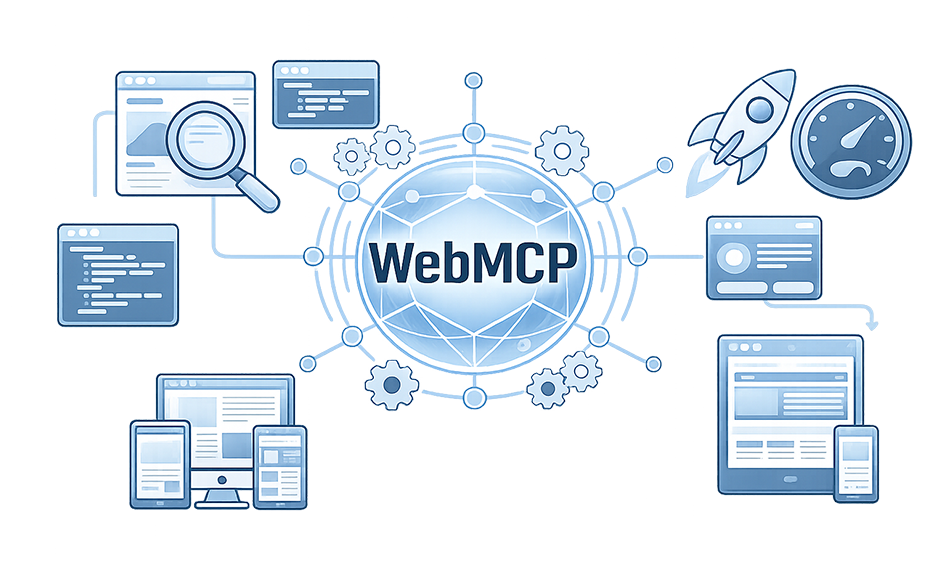
WebMCP (Web Model Context Protocol) solves this at the architectural level. Instead of forcing AI to interpret presentation layers, the website declares its capabilities directly.
What Is WebMCP in Simple Terms?
WebMCP, short for Web Model Context Protocol, is a browser-level framework that allows websites to clearly describe what actions they support so AI agents can use them directly. Instead of forcing an AI system to interpret visual elements like buttons, links, or menus, the website exposes structured “tools” that represent real capabilities.
Think about a typical “Create Account” button. To a human, it’s obvious what that button does. But to an AI agent, it’s just a piece of UI with text and layout styling. Traditionally, the agent would have to inspect the page, guess what the button triggers, locate the right form fields, and simulate the interaction step by step.
With WebMCP, that ambiguity disappears. The website can define a tool called create_account and describe exactly what inputs it needs, such as email and password. The AI agent doesn’t click the button. It calls the tool directly with structured data. The browser then executes that action within the user’s authenticated session, respecting permissions and access controls.
In simple terms, WebMCP turns web interfaces into clearly defined capabilities. Just like structured data helps search engines understand content more accurately, this approach helps AI systems understand what a website can do, not just what it looks like.
WebMCP Architecture: How It Works Step by Step
To really understand WebMCP architecture, you have to look at the full lifecycle of an interaction – from the moment a page loads to the moment an AI agent completes an action.
At a high level, three things happen:
- The website registers tools.
- The AI agent discovers those tools.
- The agent invokes them in a structured way.
Let’s break that down clearly.
1. Tool Registration: How a Website Becomes “Agent-Ready”
WebMCP operates inside the browser environment. It does not require a separate MCP server layer. Instead, tools are registered directly within the web page itself.
There are two primary ways to register tools –
Declarative Registration (HTML-Based)
This is the simplest way to enable WebMCP. If your website already includes forms, which nearly every modern web application does, you can annotate them so AI agents understand them as structured tools.
Here’s an example:
<form

  toolname="book_flight"

  tooldescription="Search and book available flights"

  toolautosubmit="true"

>


  <label>

    Destination

    <input

      type="text"

      name="destination"

      required

      toolparamdescription="City or airport code"

    />

  </label>


  <label>

    Departure Date

    <input

      type="date"

      name="departure_date"

      required

      toolparamdescription="Travel date in YYYY-MM-DD format"

    />

  </label>


  <button type="submit">Search Flights</button>

</form>
What’s happening here?
When the browser loads this page, it detects the toolname attribute. That signals that this form represents a callable tool. The browser then builds a structured input schema using the form fields.
To a human, this is still just a normal form. But to an AI agent, this now appears as a clean function:
book_flight(destination, departure_date)
The agent does not need to:
- Analyze layout
- Look at labels visually
- Guess which button submits the form
- Simulate typing and clicking
It simply calls the tool with structured parameters. The browser handles execution.
This approach works especially well for:
- Booking systems
- Checkout pages
- Login and registration flows
- Contact forms
- Subscription signups
Imperative Registration (JavaScript-Based)
While declarative forms are powerful, many modern SaaS platforms are dynamic dashboards built with React, Vue, or similar frameworks. In those cases, actions are not always tied to simple forms.
That’s where the JavaScript-based API comes in.
Here’s a practical example:
if ("modelContext" in navigator) {

  navigator.modelContext.registerTool({

    name: "generate_sales_report",

    description: "Generate a filtered sales report for a given date range",

    inputSchema: {

      type: "object",

      properties: {

        startDate: {

          type: "string",

          description: "Start date in YYYY-MM-DD format"

        },

        endDate: {

          type: "string",

          description: "End date in YYYY-MM-DD format"

        }

      },

      required: ["startDate", "endDate"]

    },

    async execute({ startDate, endDate }) {

      const response = await fetch("/api/reports/sales", {

        method: "POST",

        headers: { "Content-Type": "application/json" },

        body: JSON.stringify({ startDate, endDate })

      });


      const data = await response.json();

      return {

        success: true,

        totalRevenue: data.totalRevenue,

        transactions: data.count

      };

    }

  });

}
Let’s unpack what this does.
When the page loads, it checks whether navigator.modelContext exists (meaning the browser supports WebMCP). If it does, it registers a tool named generate_sales_report.
This tool has:
- A name
- A human-readable description
- A structured input schema
- An execution function
When an AI agent invokes this tool, the execute function runs inside the current browser session. That means:
- The user must already be logged in.
- Session cookies are respected.
- Single sign-on remains intact.
- Role-based permissions apply automatically.
There’s no need to rebuild authentication logic.
This is one of the biggest advantages of WebMCP implementation: it inherits the browser’s identity and security layer instead of bypassing it.
2. Agent Discovery: How AI Knows What’s Available
Once tools are registered, the next step is discovery.
When an AI-enabled browser or extension loads a page, it queries the model context environment for available tools. It receives structured metadata that includes:
- Tool name
- Description
- Input schema
- Availability
The AI agent does not parse the DOM. It doesn’t analyze visual layout. It receives a clean, machine-readable contract describing exactly what actions are supported.
Tool availability can also be contextual.
For example:
- On a product page, add_to_cart may be registered.
- On a checkout page, submit_payment may become available.
- On an analytics dashboard, export_report may appear.
Modern applications can dynamically register and unregister tools as components mount and unmount. This keeps the interaction surface focused and reduces unnecessary exposure.
That contextual design is an important part of WebMCP architecture.
3. Invocation and Execution: Where the Real Shift Happens
Now comes the key moment.
A user tells their AI assistant:
“Generate a sales report for January.”
Instead of clicking through filters and dropdowns, the AI agent:
- Identifies the generate_sales_report tool.
- Constructs a structured JSON payload.
- Calls the tool directly.
The browser:
- Validates the input against the schema.
- Executes the defined handler function.
- Returns structured output.
This replaces a multi-step, fragile UI interaction with a single deterministic call.
No screenshots.
No DOM guessing.
No repeated inference loops.
As a result, WebMCP for AI agents significantly improves:
- Speed (fewer round trips)
- Reliability (explicit contracts)
- Cost efficiency (smaller token usage)
Instead of interpreting what a page looks like, the AI understands what the page can do.
And that is the architectural shift WebMCP introduces.
WebMCP vs MCP: Key Differences Explained
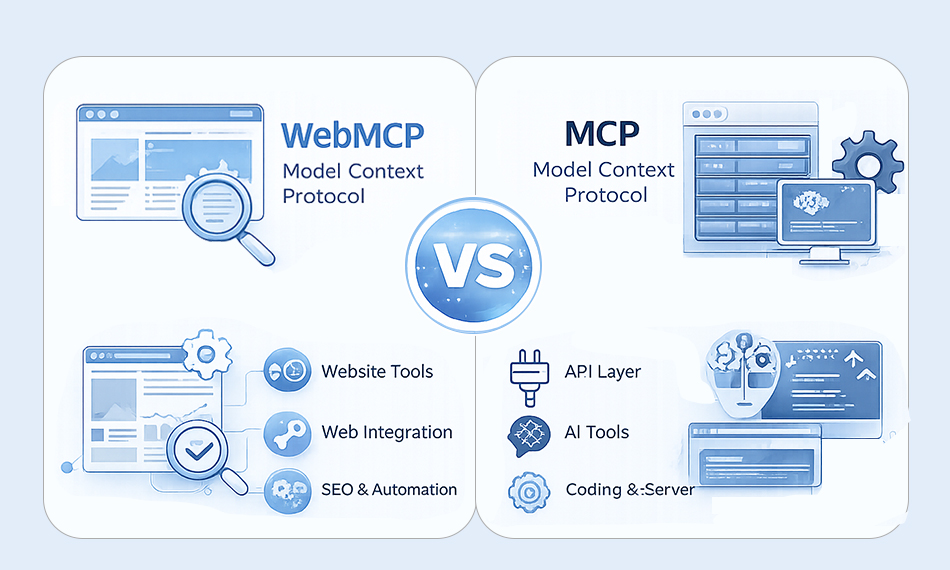
To understand the difference, think about where the AI is interacting and what it’s trying to access.
Traditional MCP was designed to connect AI models to external tools and data sources through a server-based architecture. It works as a client-server system. An AI model sends a structured request to an MCP server, the server performs the operation (like querying a database or calling an API), and then returns the result.
WebMCP, on the other hand, operates directly inside the browser. Instead of connecting to backend services externally, it allows web applications themselves to expose callable tools within the page context. There is no separate MCP server required. The browser becomes the execution layer.
Here’s a clear comparison:
| Feature | MCP | WebMCP |
|---|---|---|
| Where it runs | Backend server | Inside the browser |
| Architecture | Client-server (JSON-RPC style) | Browser-native API |
| Authentication | OAuth, API keys, tokens | Uses existing browser session |
| Best for | Backend tools, databases, APIs | Dashboards, SaaS apps, web workflows |
| Infrastructure required | Dedicated MCP server | No extra server needed |
| Execution context | Outside the user’s browser session | Inside authenticated user session |
Why WebMCP Is Important for AI Agents in 2026
Most browser-based agents rely on interpreting what they see – screenshots, HTML structure, button labels, and layout positioning. That process works, but it’s inefficient and fragile because the AI is constantly guessing what the interface means.
WebMCP changes that dynamic completely.
The first major impact is speed. When an AI agent uses traditional browser automation, it may take multiple steps just to complete a single action. It captures the page, analyzes it, identifies elements, simulates clicks, waits for updates, and repeats. With WebMCP, the agent doesn’t need to interpret the interface visually. It makes a direct, structured call to a declared tool. One request replaces many inference steps. That significantly reduces latency.
The second impact is reliability. UI elements change all the time. Designers update layouts, rename buttons, adjust styles, or reorganize dashboards. In a scraping-based system, even a small visual change can break automation flows. With WebMCP, actions are defined explicitly. As long as the underlying tool remains registered, the AI interaction remains stable.
The third impact is cost efficiency. Screenshot analysis and large DOM parsing require more model tokens and computational overhead. Structured tool invocation sends compact JSON payloads instead of entire page structures or image data. For organizations running high-volume workflows, that reduction in compute cost can be significant.
For enterprise environments running large-scale automation workflows, these improvements are not minor optimizations. They determine whether AI integration is production-ready.
WebMCP Use Cases: Enterprise & SaaS Applications
The strongest impact is in B2B environments. Enterprise dashboards are complex. CRM systems, analytics platforms, billing consoles, and internal tools often require extensive onboarding.
WebMCP allows natural language intent to translate directly into structured dashboard actions. Instead of navigating filters manually, a user can instruct the AI to perform the operation.
This reduces cognitive load and training time. WebMCP also solves authentication complexity for internal tools. Because it runs inside the browser, it inherits session state and access permissions.
Security Considerations
Whenever you allow AI agents to execute actions inside a browser, security becomes a top priority. WebMCP is powerful because it enables direct action execution, but that same power must be carefully controlled.
One of the biggest concerns is cross-tab context isolation. Imagine a user has two tabs open: one for their banking dashboard and another for a random website. If an AI agent has access to both contexts, there must be strict safeguards to ensure actions or sensitive data from one tab cannot be accessed or influenced by another. Without strong origin-based restrictions, malicious pages could potentially attempt to manipulate agent behavior.
WebMCP improves significantly over traditional scraping-based automation. With scraping, an AI often has broad visibility into page content and must infer meaning from raw HTML or screenshots.
How to Implement WebMCP Strategically
Effective WebMCP implementation starts with identifying high-value workflows. Focus on:
- Frequently repeated actions
- Complex UI flows with simple logical operations
- Tasks users commonly automate
Begin with declarative forms. Expand to imperative tools for advanced dashboard operations.
Testing should include performance benchmarking and reliability measurement.
FAQs
Q1: What is WebMCP in simple terms?
Q2: Is WebMCP a web standard?
Q3: Why is WebMCP important for AI agents?
Q4: Is WebMCP supported in Chrome?
Q5: Does WebMCP replace traditional APIs?
About the Author