First Contentful
Paint
2.6s

Boost your sales with WebsiteSpeedy! Eliminate the chance of being
bounced away from user attention. Speed up your website for increased Conversion Rate
Click the button below and increase your sales today!


Test your website to check business impact.
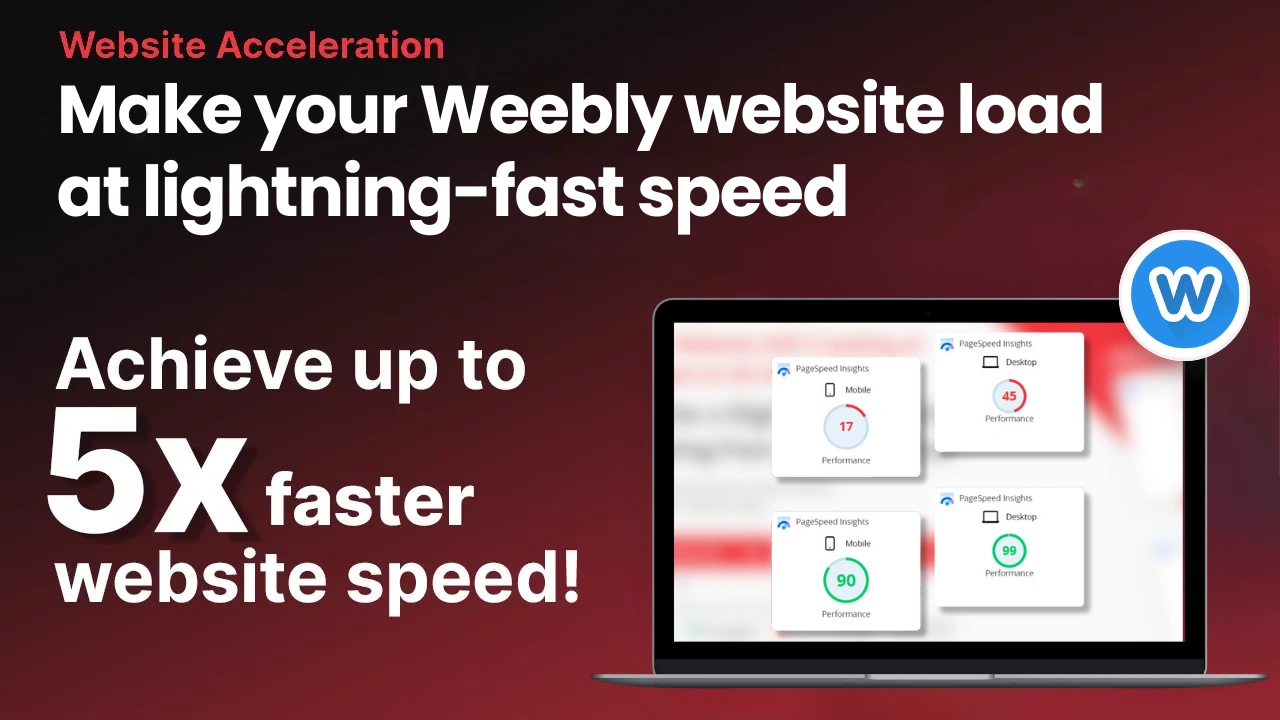
WebsiteSpeedy enhances your website's speed by identifying and optimizing elements that can block rendering. It rearranges these elements to allow asynchronous loading of resources, ensuring your site loads in the blink of an eye. Additionally, it implements lazy loading and other key optimizations, significantly boosting performance across all browsers on both mobile and desktop devices, leading to lightning-fast loading speeds.
Discountelectronics.com

Built With


Mobile
Performance
Desktop
Performance

Core Web Vitals
Discountelectronics.com
Built With
Mobile
Performance
Desktop
Performance
Core Web Vitals
Abcaudio.co.uk

Built With

Mobile
Performance
Desktop
Performance
Core Web Vitals
Abcaudio.co.uk
Built With
Mobile
Performance
Desktop
Performance
Core Web Vitals
Afterstory.co

Built With

Mobile
Performance
Desktop
Performance
Core Web Vitals
Afterstory.co
Built With
Mobile
Performance
Desktop
Performance
Core Web Vitals
Bigbuda.ca

Built With

Mobile
Performance
Desktop
Performance
Core Web Vitals
Bigbuda.ca
Built With
Mobile
Performance
Desktop
Performance
Core Web Vitals
Can't Find Your Platform ?
Browse All Platform & videos
I chose to build our website on Wix because it was highly rated for use by non-pros. Several pros I contacted to assist with page speed issues wanted the contract, quoted prices in the thousands of dollars, yet refused to commit to any level of improvement citing Wix platform constraints. Luckily, I saw an ad for a free trial of Website Speedy in a social media feed. What was there to lose, right? And I'm so very glad I installed it. Desktop performance immediately jumped from 70 to 97 and mobile increased from 30 to 67 on PageSpeed Insights. I highly recommend trying Website Speedy before investing thousands of dollars with a contractor who won't commit to a level of improvement because it's a Wix website.
Source: Wix

Ecwid's slow speed was mine, users' and google's biggest problem over the last year, ever since we moved from another platform. It was not a 100% smooth process installing the app and getting it to work, but the speed is so important I just did not give up. And it is truely amazing, being able to get the speed up by so many points. I am now really looking forward to getting a better ranking in Google, since it's one of the very improtant ranking factors.
Source: Ecwid
lovelyroses.ge

So happy with this performance! I'm floored by the overnight improvement in our performance. We went from low 40s to 88 in a matter of days. The next couple of months are going to be a treat continuing to dial in our SEO now that performance isn't holding us back. Well worth the investment!
Source: Trustpilot
gettent.com

Started a Free trial and Upgraded Instantly as was keen for a speed boost for our BigCommerce Web shop. With very speedy and helpful service by the staff at website speedy. Have seen instant result in our web shop site speed and at the same time increased shoppers and time spent shopping on our Bigcommerce web shop. Highly Recommended.
Blueplanetoptics.co

I was skeptical but i followed the instructions and it substantially improved my speed scores as per Google's pagespeed insights. Worthwhile using if you are looking to be competitive With SEO.

billowspsychology.com

I started a free trial of WebsiteSpeedy Literally the first day it showed up in the BigCommerce App Store and have been so pleased with the personal Customer Service onboarding help from Suraj and by the amazing improvement in my site speed, desktop and mobile, that I've already subscribed without waiting for the trial to end. My daily visitor count and my revenues have already spiked. Top notch company!

Speedy Teams from websitespeedy, has been very helpful.Many thanks to websitespeedy and Their Teams for a job well done. Warmest recommendations from here.
Source: Trustpilot
Heyo.dk

It was easy for me to install the code myself. Before I had a chance to contact them about an issue I had, they contacted me, addressed my problem, then followed up with a meeting to show and explain what they had done, and offered solutions for me to make further improvements.
Source: Trustpilot
Category5photography.com

Website Speedy Team and the wider Website Speedy technology and team helped take our website from a regular B/C performer to an always A performer in terms of website speed. Couldn't have been achieved without their competent attention to detail.
Source: Trustpilot
Yoursales.com
The speed of your Weebly store is crucial for enhancing user experience, boosting customer engagement, and ultimately driving your business's profitability. In the current competitive digital world, even a delay as low as a few seconds can have a great influence on visitor retention, visitor conversion, etc. Research shows that when a site takes more than 3 seconds to load, almost 53% of the users leave the website. Additionally, you know insights also show that a 1-second delay can decrease conversion rate by 7%. Thus, Weebly website speed optimization is not just another possibility to grab customer attention but a demand in order to please customers and enhance your ranking on search engines. Site speed is one of the biggest ranking signals that is taken by the Google algorithm, as well as core web vitals and performance metrics such as load time, interactivity, and visual stability. Delivering a speedy, smooth Weebly website can contribute to user satisfaction, increase traffic, and skyrocket your revenue generation potential.

Improving the speed and performance of your Weebly store doesn’t require deep technical expertise or extensive time. Adopting the following approaches can enhance user experience and keep high performance even in cases where designs are aesthetically pleasing or it is required to perform with custom functionality.

High-quality images are critical for showing products at their best; however, if not optimized correctly, these images can cause a slowdown to your site. For achieving a trade-off between speed and visual quality, transition to next-generation image formats such as WebP, which are roughly 30% smaller than conventional JPEGs yet maintain high quality. Further, adjusting image size according to display needs and reducing content that appears beyond the fold can lead to faster page load times. These changes not only improve metrics like Largest Contentful Paint (LCP) and First Contentful Paint (FCP) but also enhance perceived performance for users.

Lazy loading guarantees that only the necessary content is loaded first and the rest is loaded as the user scrolls below the fold. In this method the time to load up the first page is reduced, in particular for product pages or blogs with many images as well; the site speeds are increased up to 25%. Although this may appear to be a trivial change, it may have big improvements. Weebly users are able to apply lazy loading, either from the Weebly settings (if it's available as an inbuilt feature like other platforms) or availing themselves of no-code tools such as Website Speedy to do so even better. With this method, it is possible to obtain a lower First Input Delay (FID) and higher Interaction to Next Paint (INP) scores, thus performing smoother navigation and with a better user experience.
Optimize Your Website Now!
.png)
Asynchronous loading of resources lets your Weebly site display main content on top of secondary content still being loaded in the background. This guarantees that people can start interacting with meaningful content shortly after they appear, which improves the usability. By implementing asynchronous JavaScript loading using tools like Website Speedy, with this no-code DIY tool, you can reduce load time by up to 35%, improving metrics such as FCP and LCP while creating the impression of a faster site, thus saving time for your developers so that they can focus on others.

Excessive CSS, JavaScript, and HTML files can slow down your site due to unnecessary or repetitive code. Minifying these files by removing redundant spaces, comments, and line breaks can reduce their size and improve processing times. Combining smaller files into a single larger file reduces the number of HTTP requests to the server, thereby improving both Time to First Byte (TTFB) and overall page load times of your Weebly store.
-square-space.jpg)
Weebly provides basic CDN integration, enabling the website owners to take advantage of a Content Delivery Network that makes the site content available to global servers. CDNs reduce latency, as they provide data coming from the server located close to the user; they increase LCP scores and overall provide a more fluid browsing experience, in particular for visitors from across the globe. Adding a CDN represents a critical step toward improving load times and user experience.

All of the assets on your website—images, text, code scripts, and videos—all generate an HTTP request to the server. Reducing these requests by consolidating resources or eliminating duplicate content can improve page load times. On the one hand, inline CSS injection on essential content and bloat removal can improve Speed Index (SI) and Full Content Paint (FCP) scores, corresponding to accelerated load and visitor satisfaction.

Weebly offers a variety of themes and apps to customize your store designs and functionality, but complex themes and unused apps can slow down your site. Choosing a simple theme with a focus on usability and the avoidance of unnecessary animations. Similarly, uninstall unused apps to streamline your store's backend and improve Total Blocking Time (TBT) score.

Large files like JavaScript and CSS can delay rendering or displaying the initial content, ultimately slowing down your site. Excluding render-blocking by deferring critical assets and inlining critical CSS is important. You can directly manipulate code manually, which will take up valuable time of yours or your development team's. On the other hand, you can save time by leveraging automation tools like Website Speedy to get the best outcome. This step guarantees that the most essential sections of your website will load first while speeding up the loading time by up to 40% and elevating usability and visual quality.

As we all know, mobile traffic is a big part of web traffic; it is essential to optimize your Weebly site for mobile. Resizing images to mobile, consolidating navigation, and eliminating unnecessary features ensure a smooth mobile experience. For instance, tools such as Google Mobile-Friendly Testing Tool can identify and fix problems. Improved mobile responsiveness is reflected in LCP scores, as well as in performance in general.
Monitoring speed metrics is vital to ensuring good site performance. The following tools can enable Weebly users to identify areas to troubleshoot and make the required changes:
Google PageSpeed Insights
Google PageSpeed Insights, in addition to not only marking speed problems, also gives a list of recommendations like image optimization, deferring noncritical JavaScripts, and reducing resource requests. Applying these recommendations enables Weebly store owners to keep the site fast, efficient, and easy to use. Moreover, this tool offers detailed performance reports and actionable recommendations for improving key metrics like FCP, LCP, CLS, FID, INP, and SI.

GTmetrix: GTmetrix analyzes in detail the performance of your Weebly website and provides all the tactical knowledge to optimize the speed and experience of your users. This tool highlights are like:

Pingdom: Pingdom is a trustworthy web performance and uptime monitoring tool that reports real-time data from around the world regarding the performance of your Weebly store. Key features include:

See how businesses are transforming with Website Speedy. Check out our case studies.
Learn moreDon’t let slow speeds hold you back. Sign up today for Free, try our tool with our 14-day money-back guarantee, and unlock faster, more reliable performance!
Start freeReady to experience the benefits firsthand? Book a free consultation with our speed optimization expert.
Book nowSigns that your site may need optimization include slow loading times, poor Google PageSpeed scores, high bounce rates, and low user engagement.
It depends on your website, but most websites achieve a score of 90+ on Desktop and 70+ on Mobile. If you don’t see the expected results, you can contact us. Our team of experts performs a manual review and makes the required updates to boost speed further at no extra charge.
Setting up Website Speedy takes less than 5 minutes. Just Register and follow the steps to set up.
Website Speedy improves loading speeds on both desktop and mobile, directly boosting SEO rankings and ad performance. Faster websites rank higher in search engine results and maximize the efficiency of your ad spend, leading to increased ROAS, ROI, and conversions.
Yes, Website Speedy is designed to be user-friendly and accessible to anyone, regardless of technical expertise. With its intuitive interface, you can optimize your website’s speed in just a few clicks.If you need assistance, our team of experts will do the installation for you.
No, Website Speedy ensures all optimizations are performed without affecting your site’s design or functionality. Your site will maintain its appearance and usability while benefiting from faster loading speeds.
Yes, Website Speedy can improve your website's loading speed on mobile devices. The tool optimizes your site by using techniques like lazy loading, removing render-blocking elements, and other proprietary optimizations to make your website load faster on smartphones and tablets.
Website Speedy provides comprehensive performance reports before and after optimization. These reports highlight improvements in load times, performance scores, and user experience. Our customers notice an improvement of 30% to 200% in stats like conversions, conversion rate, page views by devices, bounce rate, ROI, and ROAS etc. We highly recommend checking your stats after your free trial and during your 14-day money-back guarantee period, as explained here. https://websitespeedy.com/compare-website-performance-after-website-speedy-trial.php
Yes, we provide ongoing support as long as your subscription remains active. Our team ensures your website continues to perform at its best, offering assistance whenever needed to maintain an optimal user experience.
No, Website Speedy performs all optimizations seamlessly. Your site remains live and fully functional throughout the process, ensuring no interruptions for your visitors.
Yes, your website data is secure. Website Speedy only analyzes your website’s performance and loading times. It does not access or store any sensitive information, like login details or personal data.
Yes, the Website Speedy script applies to the entire website, including landing pages, blogs, galleries, and e-commerce sections, ensuring all pages benefit from faster loading speeds. It doesn’t include pages on subdomains unless you are on the Enterprise plan.
Yes, absolutely! If you're not familiar with installation or need assistance, our team of experts is here to help. Simply create a support ticket through your Website Speedy dashboard with the details, and we’ll contact you as soon as possible to assist you.
Typically, we do not require access to your website's backend for optimization. Nevertheless, if your website concerns security measures, we may require limited access for monitoring or updating specific elements.
Subscriptions start at $50/month. You can check our plans here https://websitespeedy.com/website-speed-optimiation-cost-us.php. You can pay for Website Speedy on a monthly or yearly basis using Stripe. For more information about Stripe's availability and supported countries, visit Stripe’s website.
Website Speedy is a performance optimization tool that enhances website speed and user experience by improving resource loading. Upon installation, it integrates a script into your site to optimize loading speeds across all pages. Key features include:
Website Speedy keeps your site fast and efficient, continuously adapting to improve performance across all devices.